



Skip to content

The panel on every desktop.

Where the indicator lives in GNOME, KDE Plasma, the Headroom tray, Waybar and the macOS menu bar, and how it really looks there.

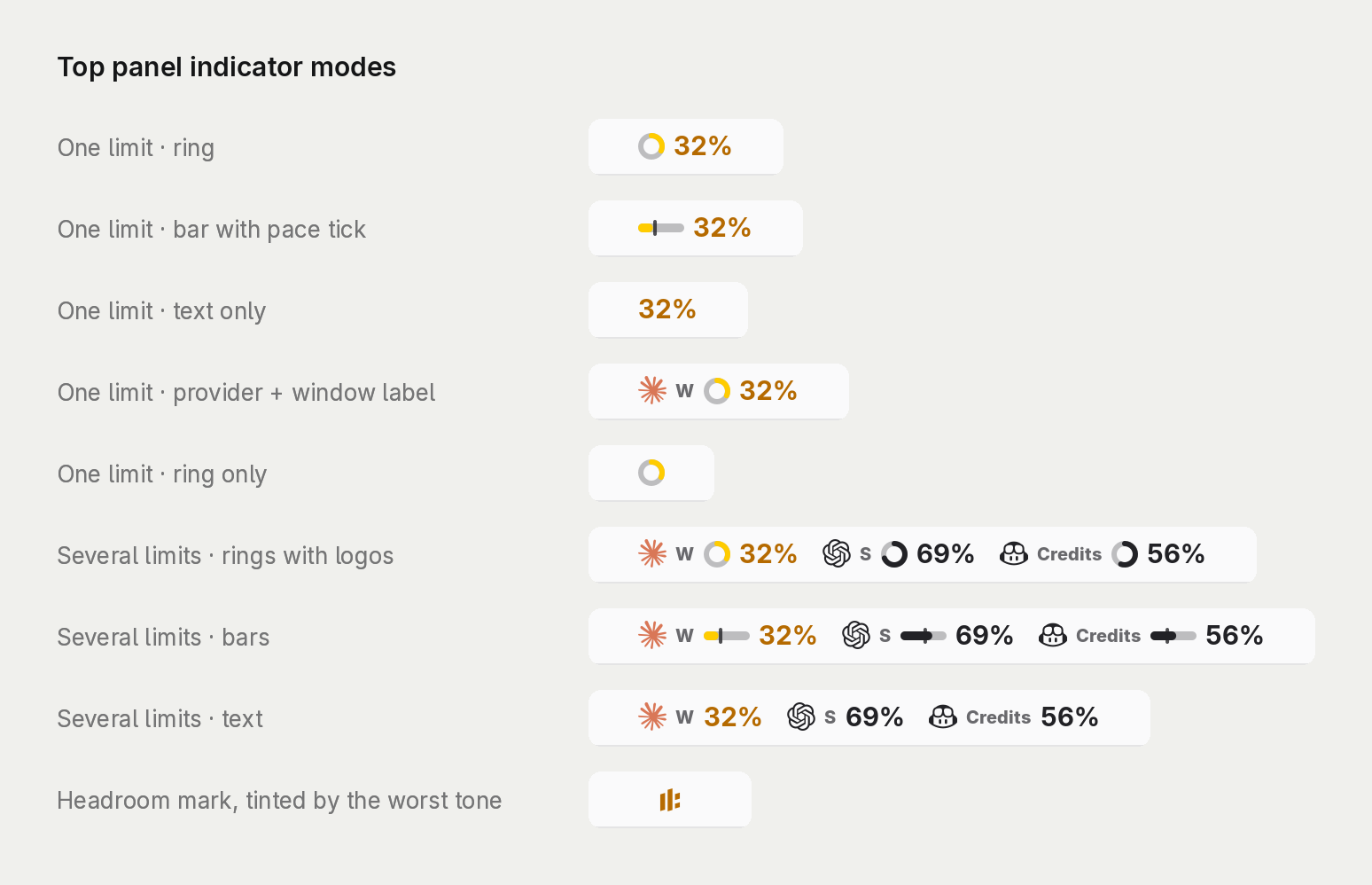
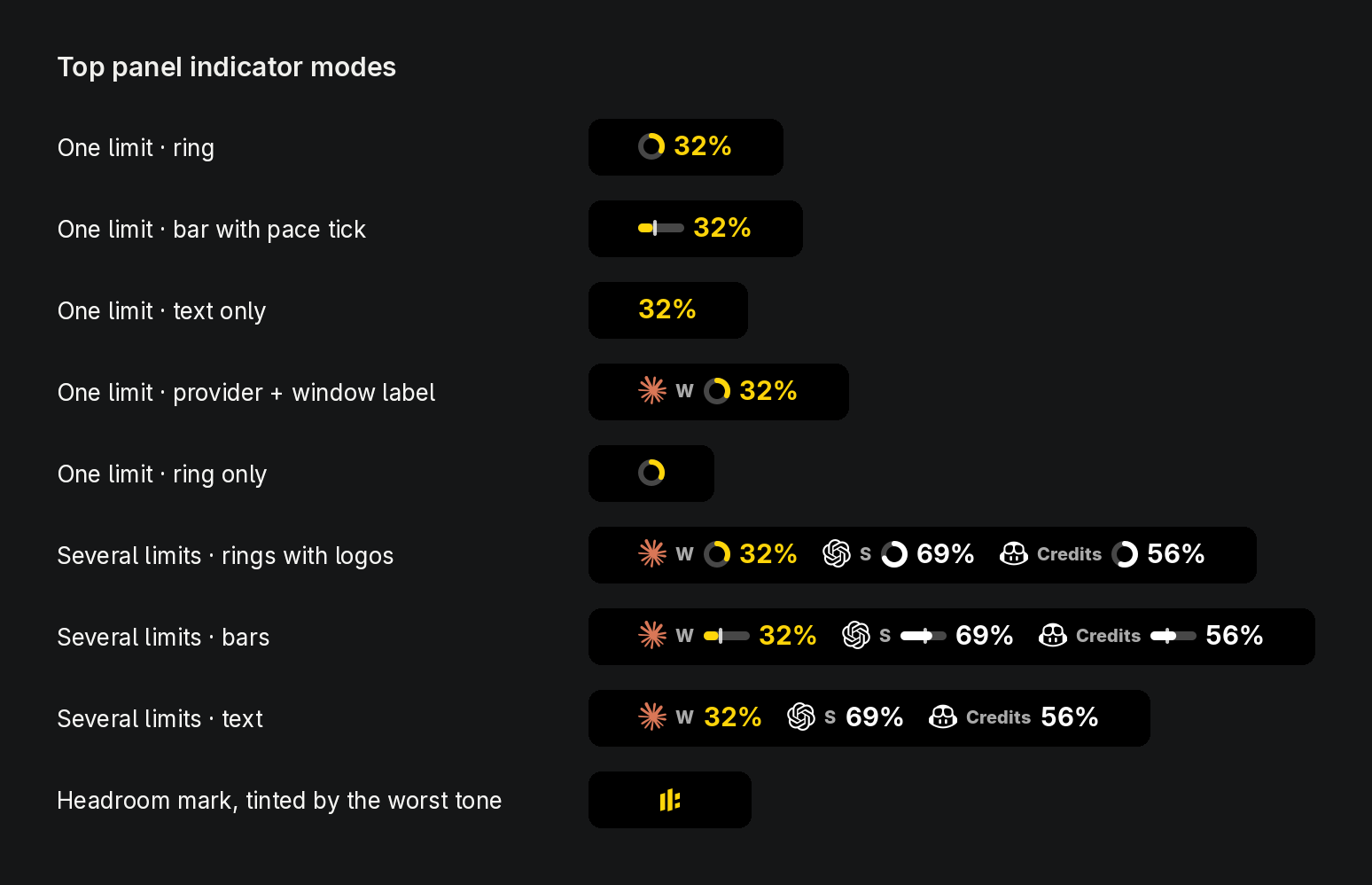
Every GNOME top-panel mode: one limit as a ring, a bar with the pace tick or text, with or without the provider and window, several limits with provider logos, and the Headroom mark tinted by the worst tone.Every GNOME top-panel mode: one limit as a ring, a bar with the pace tick or text, with or without the provider and window, several limits with provider logos, and the Headroom mark tinted by the worst tone.
Swipe sideways to see the whole render at full size.

On every desktop

GNOME
Left, center or right, or press and hold the indicator and drag it along the top bar.
macOS
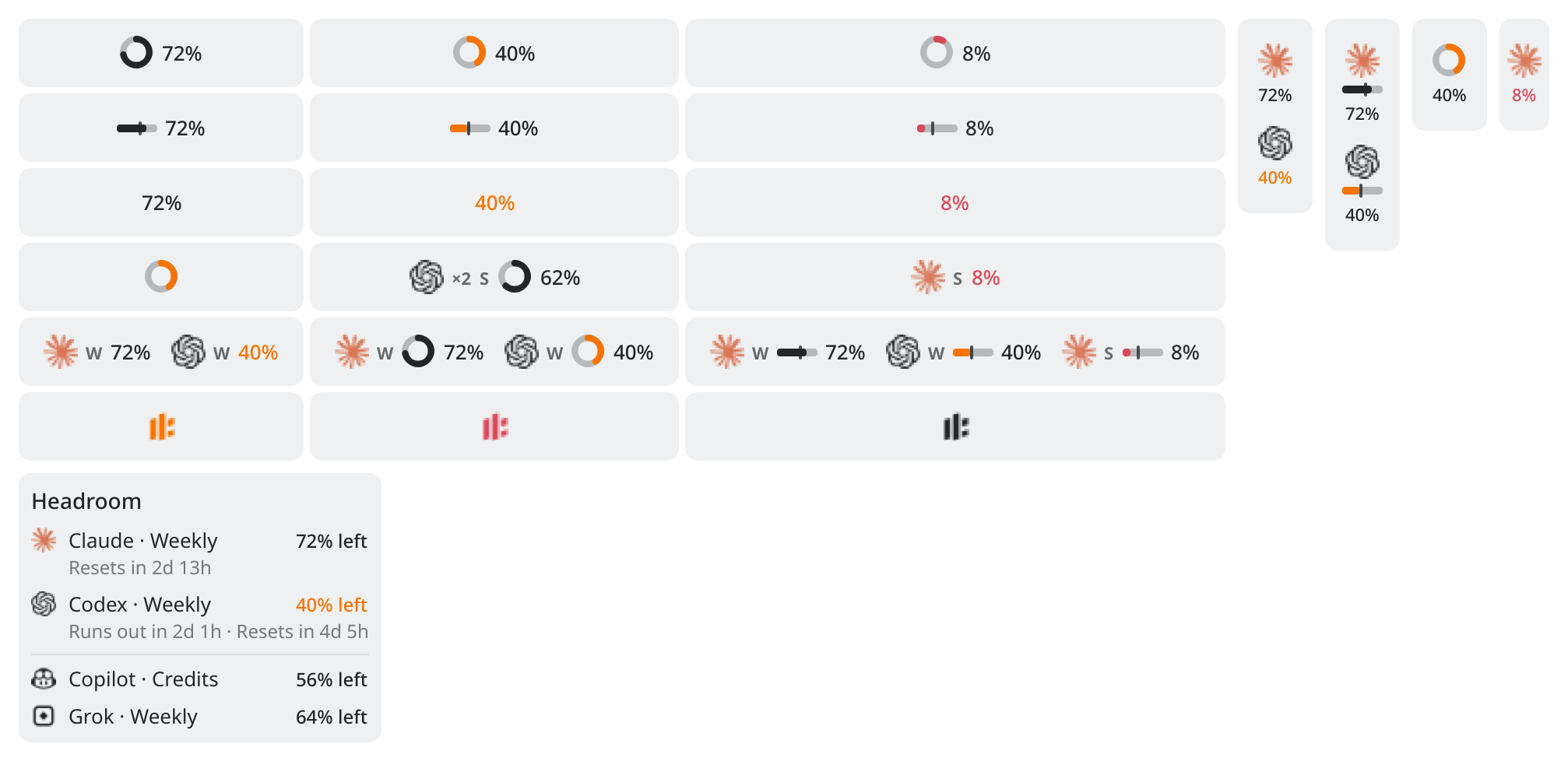
Several limits become up to three menu-bar items. Move them with ⌘-drag; they stay where you put them.
KDE Plasma
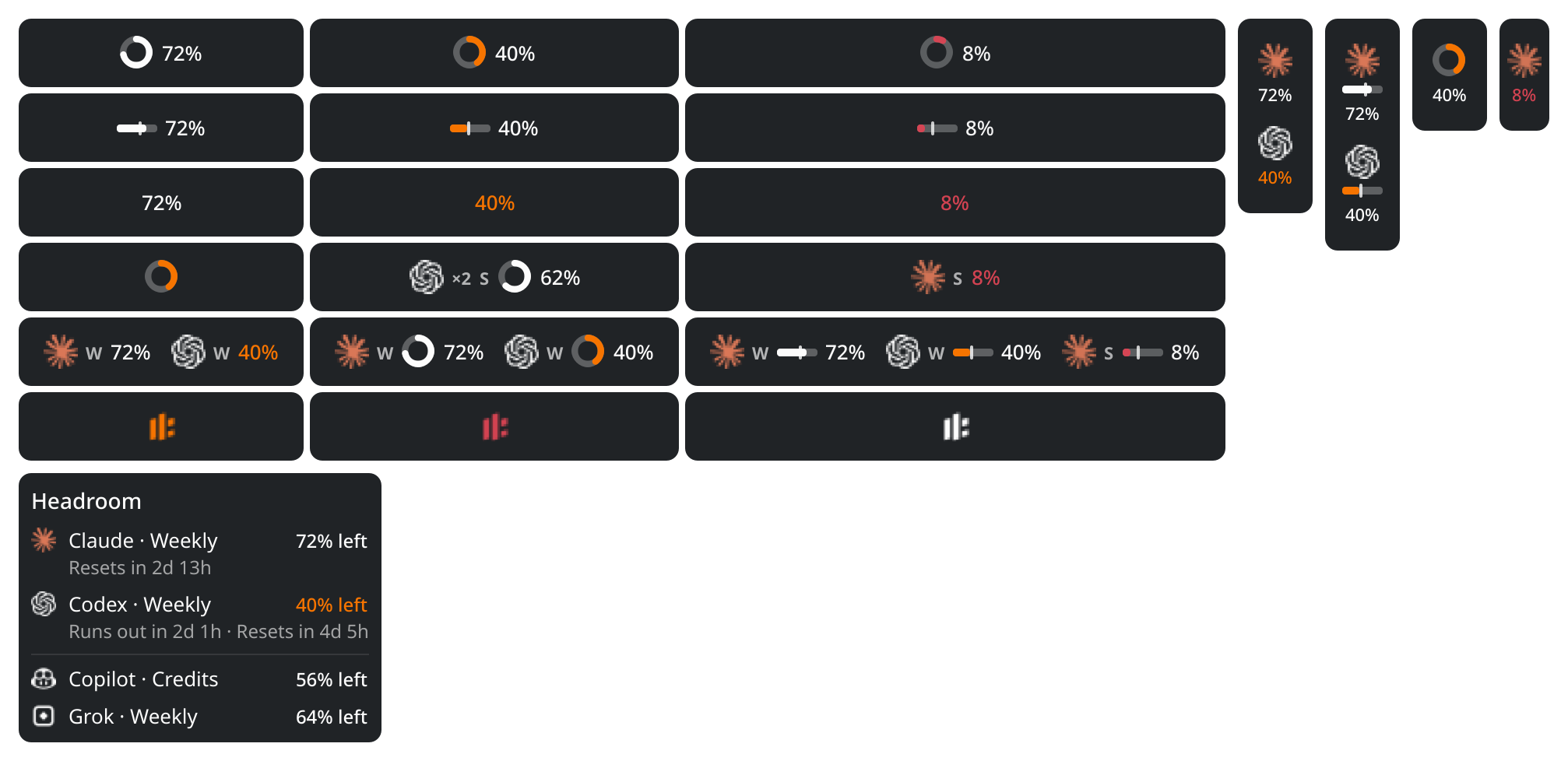
The widget has the same modes, a slim version for vertical panels and a tooltip with every limit. Move it in panel edit mode.
Headroom tray
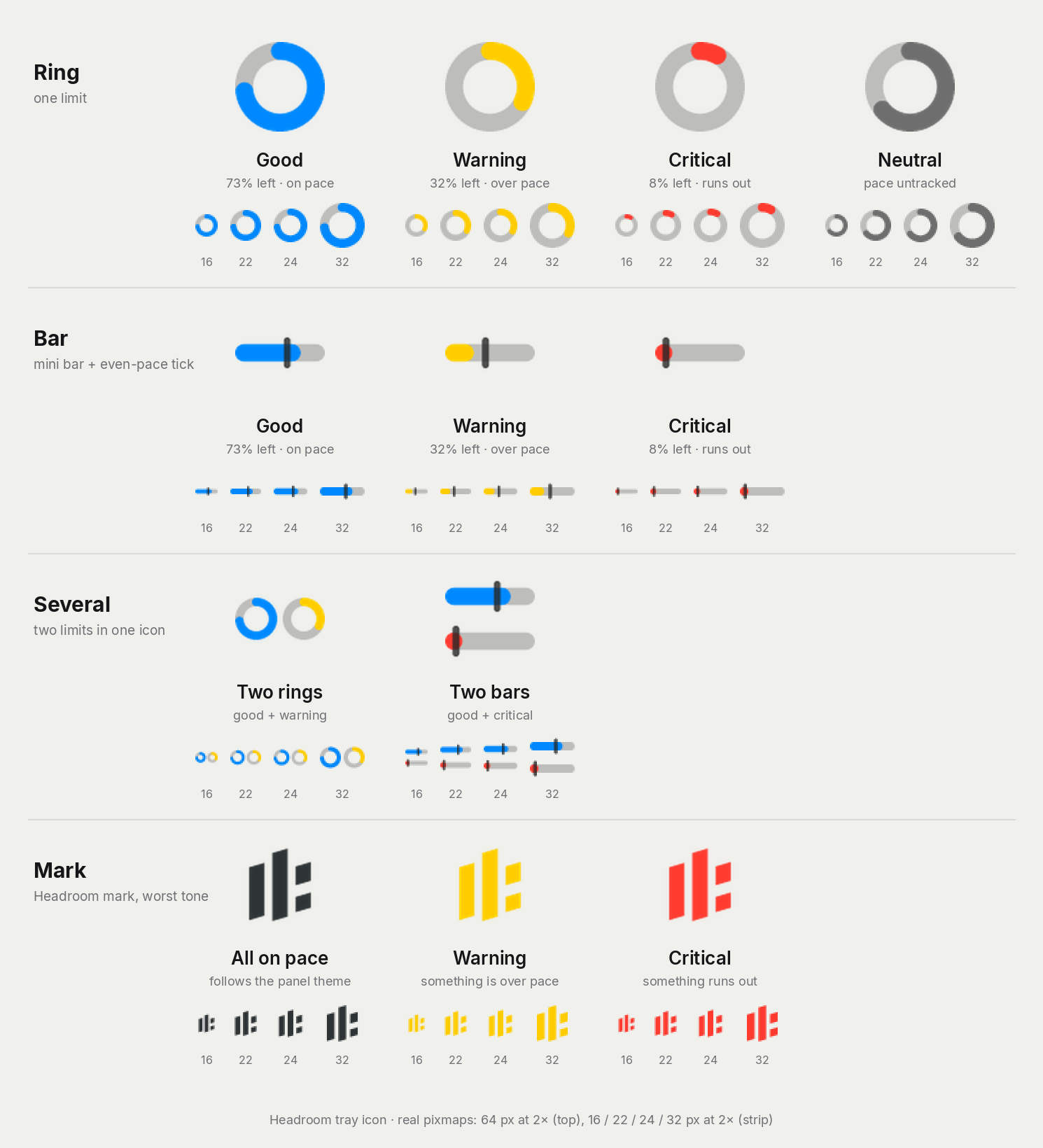
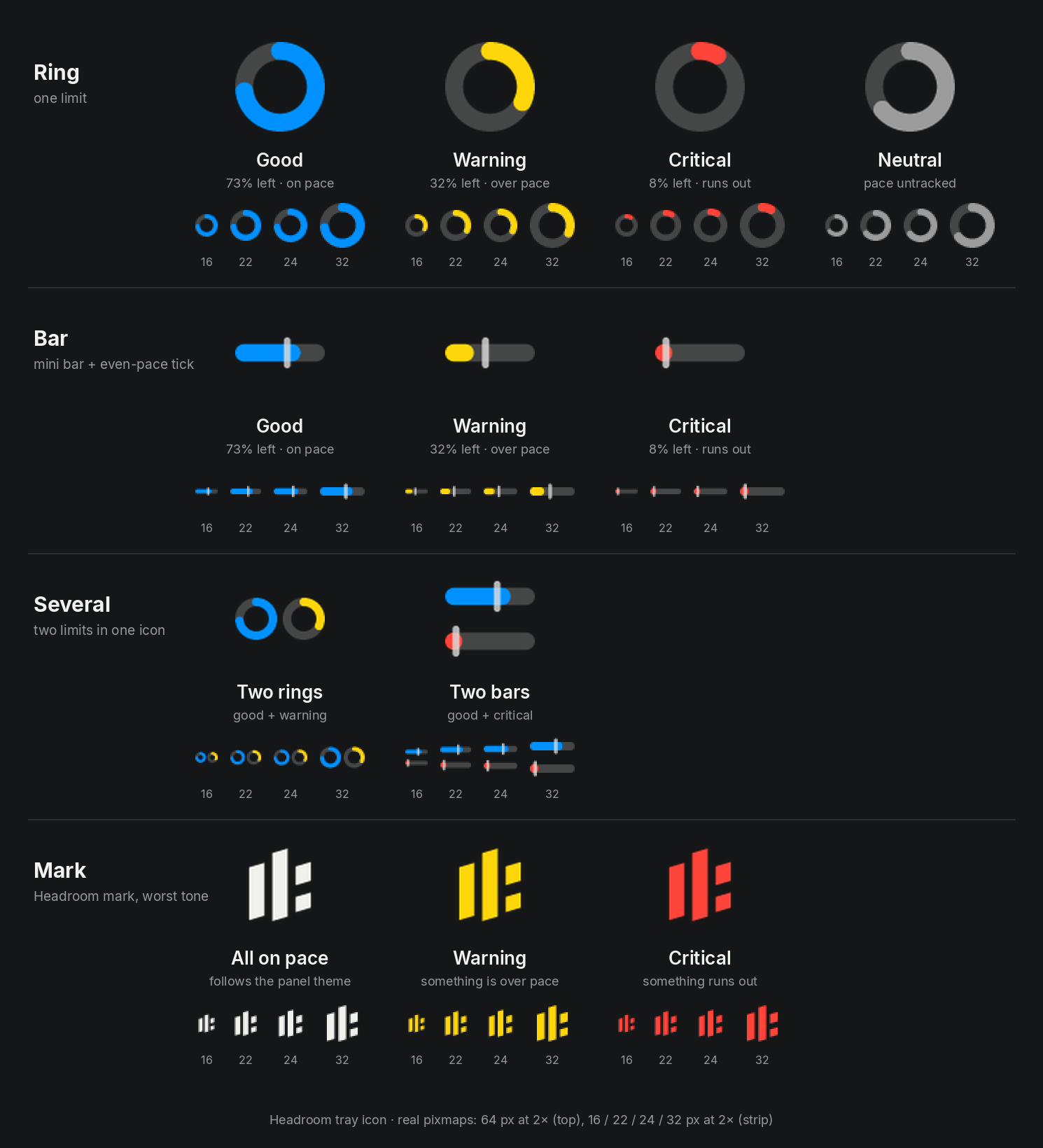
The icon draws one or two rings, bars or the mark. Its place is up to the tray host.
Waybar
Several providers in one module:headroom waybar --providers claude,codex

See it coming.

Headroom projects every limit to its reset and says when it will run out, long before it does. Since 0.6.1 the forecast follows how you actually work, not the clock on the wall.

A Claude card in the Headroom popup while Claude Code works. The session percentage changes only when the provider reports a new value, while the forecast moves every few seconds with the tokens in the logs and warns that the session runs out before reset. When Claude Code stops, the next refresh shows no rise and both limits switch to Paused with how long the rest lasts at the last working pace.

Percent left
from the provider, on each refresh
Forecast
follows the logs within seconds

Live while your agents run.

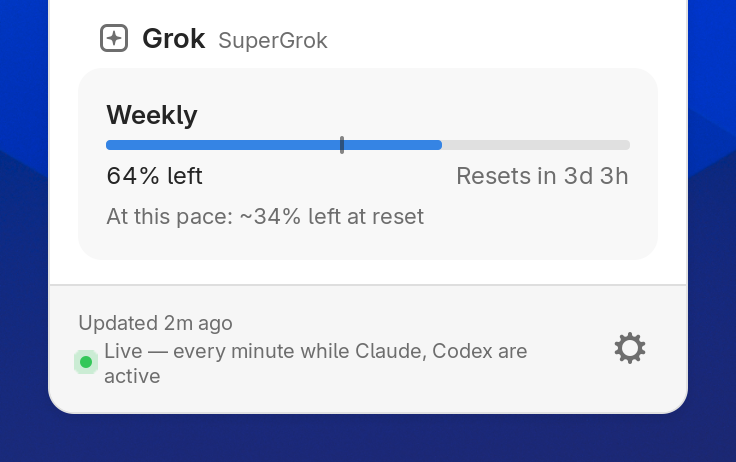
Session windows are projected from your pace over the latest stretch of active work, counted in active time only. While Claude Code or Codex is working, the forecast follows the token spend in its local logs within seconds, calibrated against the provider's own percent steps.

  • The percentages on the card are always the provider's. The estimate only moves the forecast.
  • When nothing is running, the card says “Paused · lasts ≈3h of work” instead of counting down to a run-out that will not happen.
  • “Will run out” alerts come once and return only after a reset or when your pace has really calmed down. They are never sent while an account is paused.

Weekly limits keep the steady average.

Longer windows are projected from the average since the window started, so one busy afternoon does not paint the whole week red. Move through a week to watch the tick, the forecast and the color.

Click a reset time to switch between the countdown and the exact time, in 12- or 24-hour format like your system clock.

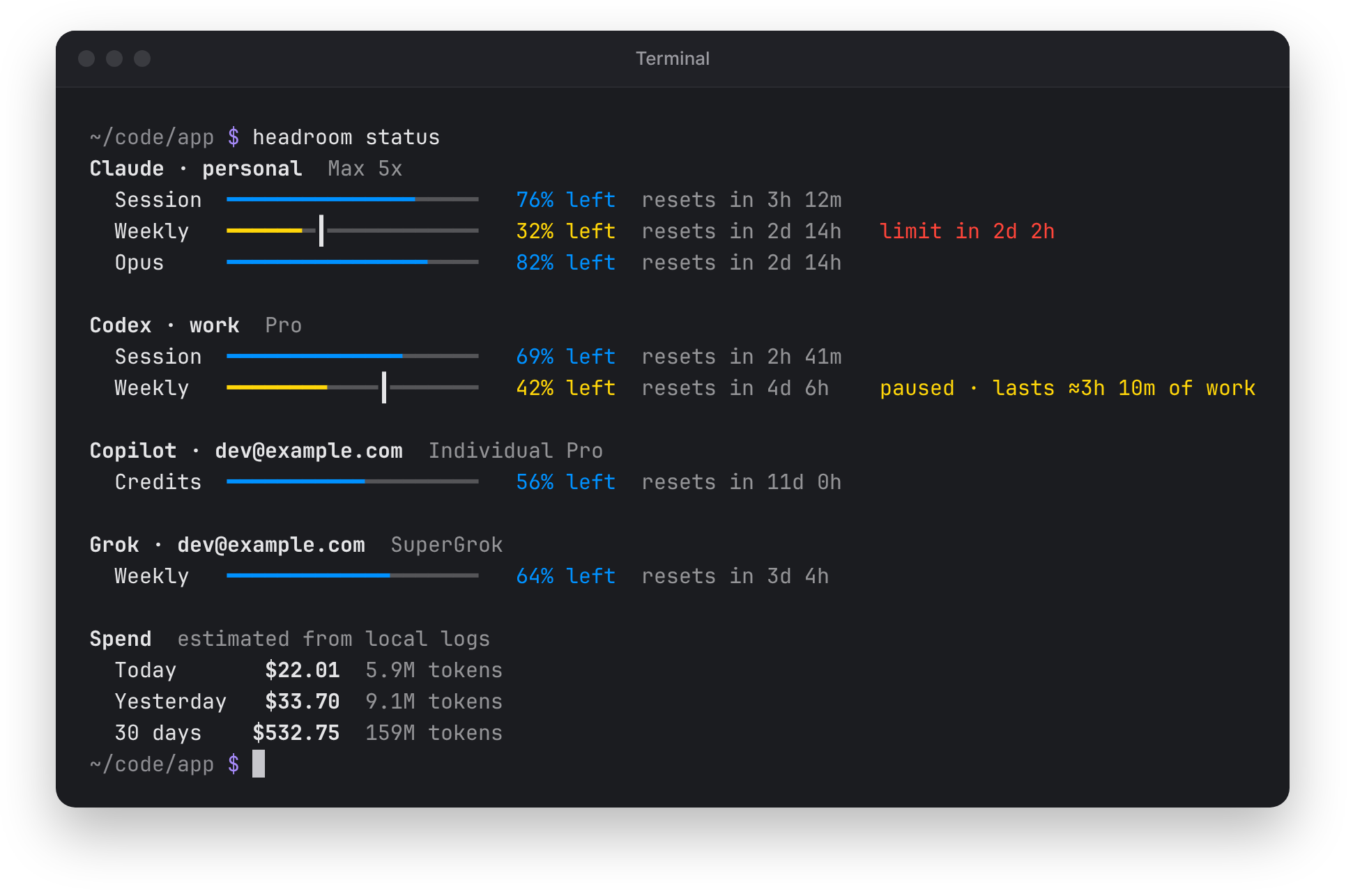
headroom status in a terminal: Claude's weekly limit will run out in about two days, and Codex's weekly limit is paused with about three hours of work left.
The same forecast in headroom status.

A weekly Claude limit with its even-pace tick. Move the week slider or pick a burn rate to see the remaining share, the forecast and the color change. Outside working hours nothing runs, so the forecast says how long the rest lasts at your working pace.

ClaudeWeekly

Left49%

At this pace: runs out in 2d 13h · resets in 4d 9h

Alerts on your terms.

Choose when “almost out” fires: under 5, 10, 20 or 30% left, with its own value per provider, or off. Headroom also warns when the pace says a limit will run out. Alerts arrive through your desktop's notifications or macOS Notification Center. Each is sent once; pace alerts return only after a reset or when your pace calms down.

Quiet hours hold alerts at night and send one summary when they end. Critical alerts can still come through.

A night on a desktop, from 21:00 to 09:00. The Codex weekly limit drains; the chosen threshold decides when the “Under N% left” alert fires. With quiet hours on, alerts between 22:00 and 08:00 are held and arrive as one summary at 08:00, while a critical “Limit reached” comes through at once.

Alert when less thanUsed by Almost out
Quiet hoursHold notifications while you are away

Two accounts, one card.

Work and personal Codex, side by side or as one. Combined, the card shows a bar with a segment per account, what is left of the total, the earliest reset and one pace forecast.

Point at a limit to see each account. It is off by default: one switch in settings turns it on in GNOME, KDE Plasma, the tray and macOS.

Pay-as-you-go balances keep their own currency: yuan stay yuan, dollars stay dollars, never converted or added up.

  • DeepSeek¥128.40
  • DeepSeek$6.25
  • Moonshot API$42.15
  • Kilo Code$18.60
Combine accounts of the same providerShow one card per provider and add up the limits of its accounts

Spend by model and project.

Today, yesterday, 7 or 30 days, in dollars, in tokens or as cost per million tokens. The same numbers the popup shows, from your local logs and public prices.

A project is the working directory Claude Code and Codex logged, and every project bar is split by provider.

Only need the totals? Turn off “Show models and projects” in settings to hide the list under the ring.

Point at a provider for the models behind it.

An interactive Headroom spend card. Choose the period, switch the units between total spend, total tokens and cost per million tokens, and switch the breakdown between models and projects. Focus a provider to read its models.

$533
12 models
  • gpt-5.5$180.77
  • claude-opus-4-5$160.06
  • claude-sonnet-4-5$70.85
  • grok-4$31.65
  • gpt-5.5-mini$27.81
  • Other· 7 models$61.61

Every token, counted once.

Records are deduplicated by response id, streamed chunks are never summed, and cost is kept in integer micro-dollars.

Log records arrive one by one. Records that repeat a response id are struck out and skipped. Token totals by category and the spend update as records are counted.

Today

Input
123,364
Cache read
5,535,799
Cache write, 5 min
192,444
Cache write, 1 hour
77,392
Output
117,579
of which reasoning
23,872

Spend

$4.31partial

Partly unpriced, cost leaves it out

Prices from LiteLLM and models.dev
Same numbers in the terminal.

Group by model, project, provider or day, for any number of days.

headroom spend--by model|project|provider|day--since 30d
~/code/app $ headroom spend --by project --since 30dSpend by project Aug 27 – Sep 25 · project = working directory of the sessionProject Tokens Cost Share~/code/headroom 73M $245.07 46.0% ████████████~/code/app 42.9M $143.84 27.0% ███████(no project) 17.5M $58.60 11.0% ███~/work/api 11.1M $37.29 7.0% ██~/code/dotfiles 6.3M $21.31 4.0% █~/work/infra 4.8M $15.98 3.0% █~/scratch 3.2M $10.66 2.0% █──────────────────────────────────────────────────────Total 159M $532.75 100.0%~/code/app $
~/code/app $ headroom spend --by model --since 30dSpend by model Aug 27 – Sep 25 · estimated from local logsModel Provider Input Output Cache read Cache write Costgpt-5.5 Codex 36.9M 3M 19.7M 0 $180.77claude-opus-4-5 Claude 10.2M 821K 5.4M 0 $160.06claude-sonnet-4-5 Claude 11.4M 918K 6.1M 0 $70.85grok-4 Grok 6.2M 501K 3.3M 0 $31.65gpt-5.5-mini Codex 12.5M 1M 6.7M 0 $27.81gpt-5.4-codex Codex 6.6M 529K 3.5M 0 $18.54claude-opus-4-1 Claude 1.5M 121K 797K 0 $13.12claude-haiku-4-5 Claude 3.6M 290K 1.9M 0 $10.50grok-code-fast-1 Grok 2.7M 215K 1.4M 0 $6.95claude-sonnet-4 Claude 1.8M 145K 957K 0 $5.25o4-mini Codex 3.6M 288K 1.9M 0 $4.64claude-3-5-haiku Claude 1.5M 121K 797K 0 $2.62────────────────────────────────────────────────────────────────────────────Total 98.4M 7.9M 52.4M 0 $532.75~/code/app $

Is it me or them?

Turn on provider status pages and an incident or outage appears right on the card, with a link to the status page. No more guessing whether your network or the provider is down.

Off by default. When on, Headroom reads the public status page of each provider you use every 5 minutes and follows only the parts that matter to it.

  • Claude
  • Codex
  • Copilot
  • Cursor
  • Devin
  • Kimi Code
  • Moonshot API
  • MiniMax
  • Kilo Code
  • Warp
  • Poe

A Claude card in the Headroom popup. An amber incident notice appears on it with its stage, when it started and a Status page link, turns into a red partial outage, and disappears once resolved.

Fixes itself.

Retry does the useful thing: it rescans after an account change and refreshes sign-ins Headroom owns. When a CLI sign-in expires, Sign in opens a terminal with the CLI's own login, and Headroom notices the new sign-in by itself. Copying the command still works.

A Codex card signed out: the notice offers Sign in, Retry and a copy button. Sign in opens a terminal running codex login, and the card comes back with its limits by itself.

A Claude card in the GNOME popup that keeps its session, weekly and Opus limits under the quiet line “Provider is limiting requests · next try 6:33 PM”.

Calm about rate limits.

When a provider limits requests, the card keeps its last numbers with a quiet line instead of an error. Claude is polled at most every 3 minutes, because Claude Code polls the same endpoint.

Repeated limits wait longer before the next try, or as long as the provider asks

  1. 5 min
  2. 10 min
  3. 20 min
  4. 40 min
  5. 60 min

History for every account.

A Claude or Codex account added through Headroom gets usage history, spend and live refresh from the CLI's own logs, when that CLI is signed in to the same account. Spend still counts every log once.

A Codex account added through Headroom: session and weekly limits with their resets, and a Usage Trend row with a bar for each of the last 30 days.

Faster while you code.

While Claude Code, Codex or Grok is writing usage logs, their accounts refresh every minute and return to the normal interval after 10 quiet minutes. On Linux, the settings have a Check now button for updates.

Share it.

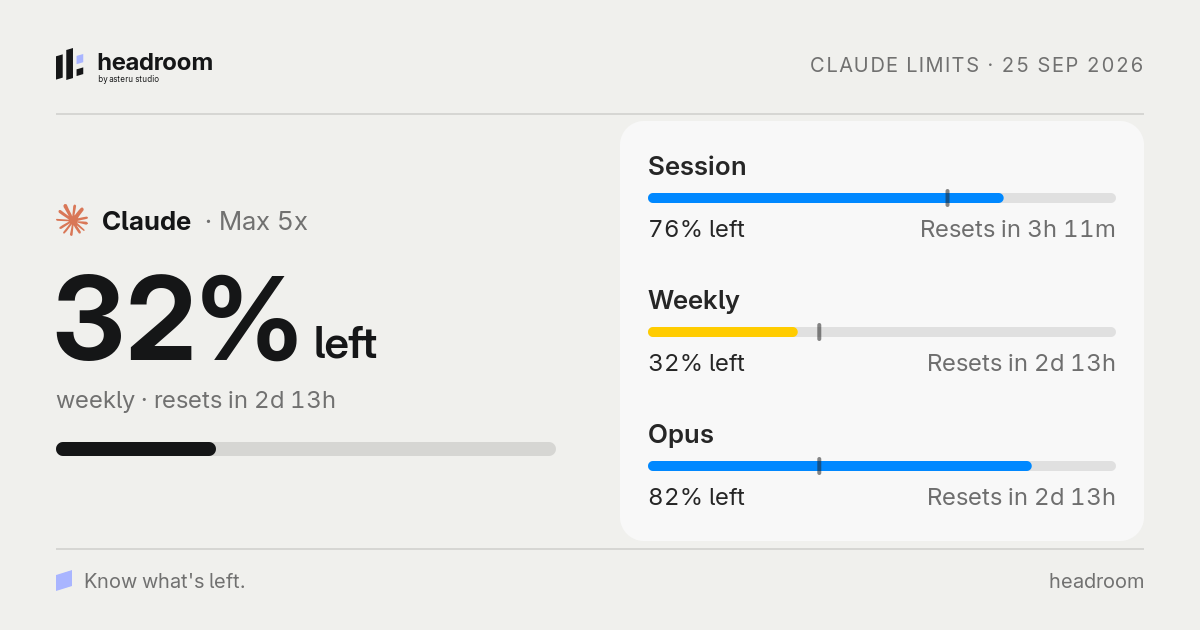
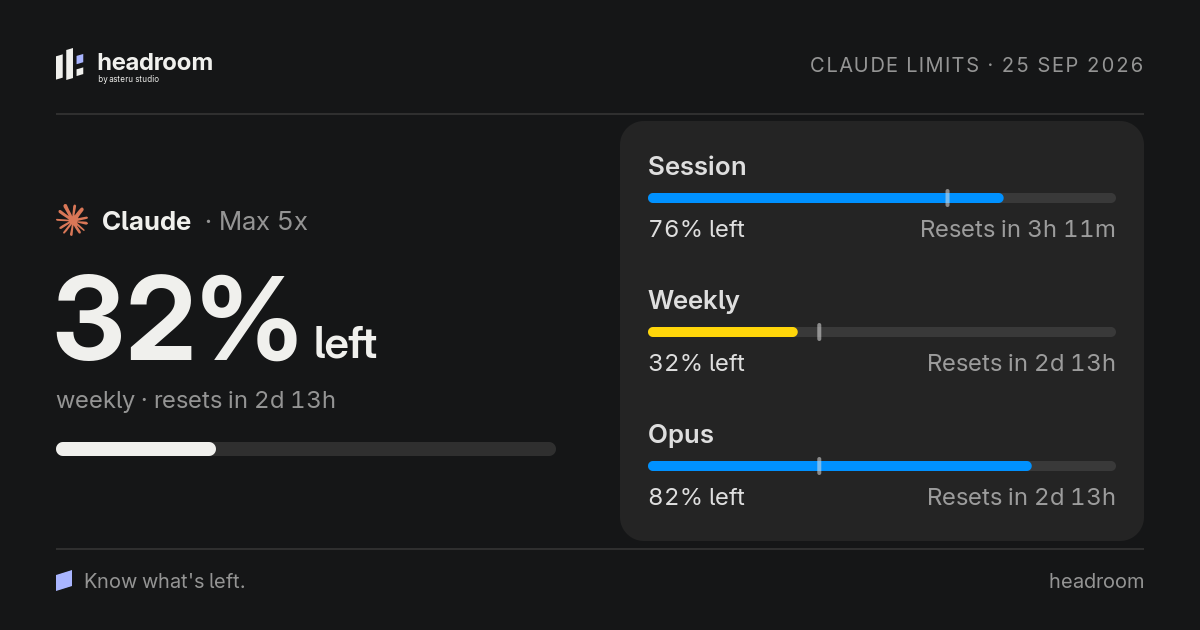
Share as image… turns a card into a clean 1200 × 630 picture of your limits, without emails, labels or paths. It is copied to the clipboard and saved to Pictures/Headroom. Copy as text gives you the same numbers as plain text.

Right-click any card for the rest: refresh it, hide it, keep it always open, or jump to the provider's status page, dashboard or usage page.

A Headroom share card: Claude's remaining weekly limit in large type next to its session, weekly and Opus meters, with the date and the Headroom wordmark.

Private when it matters.

Numbers hide by themselves while your screen is shared. In GNOME every figure turns into •• and the top bar shows only the Headroom mark, with Show anyway one click away. On macOS the popup and menu-bar items are left out of screenshots, recordings and screen sharing.

A Headroom popup under the GNOME top bar. Starting a screen share replaces every figure with two dots, shows a banner with Show anyway and leaves only the Headroom mark in the top bar.

The Headroom tray.

For every desktop without GNOME Shell or Plasma. The one-line installer adds it by itself.

An icon that shows pace
A ring, a bar with the even-pace tick, two limits side by side, or the Headroom mark, colored by the worst tone.
The same popup
Spend, limits, forecasts, sign-in and status notices, card for card as on GNOME and macOS.
Native settings
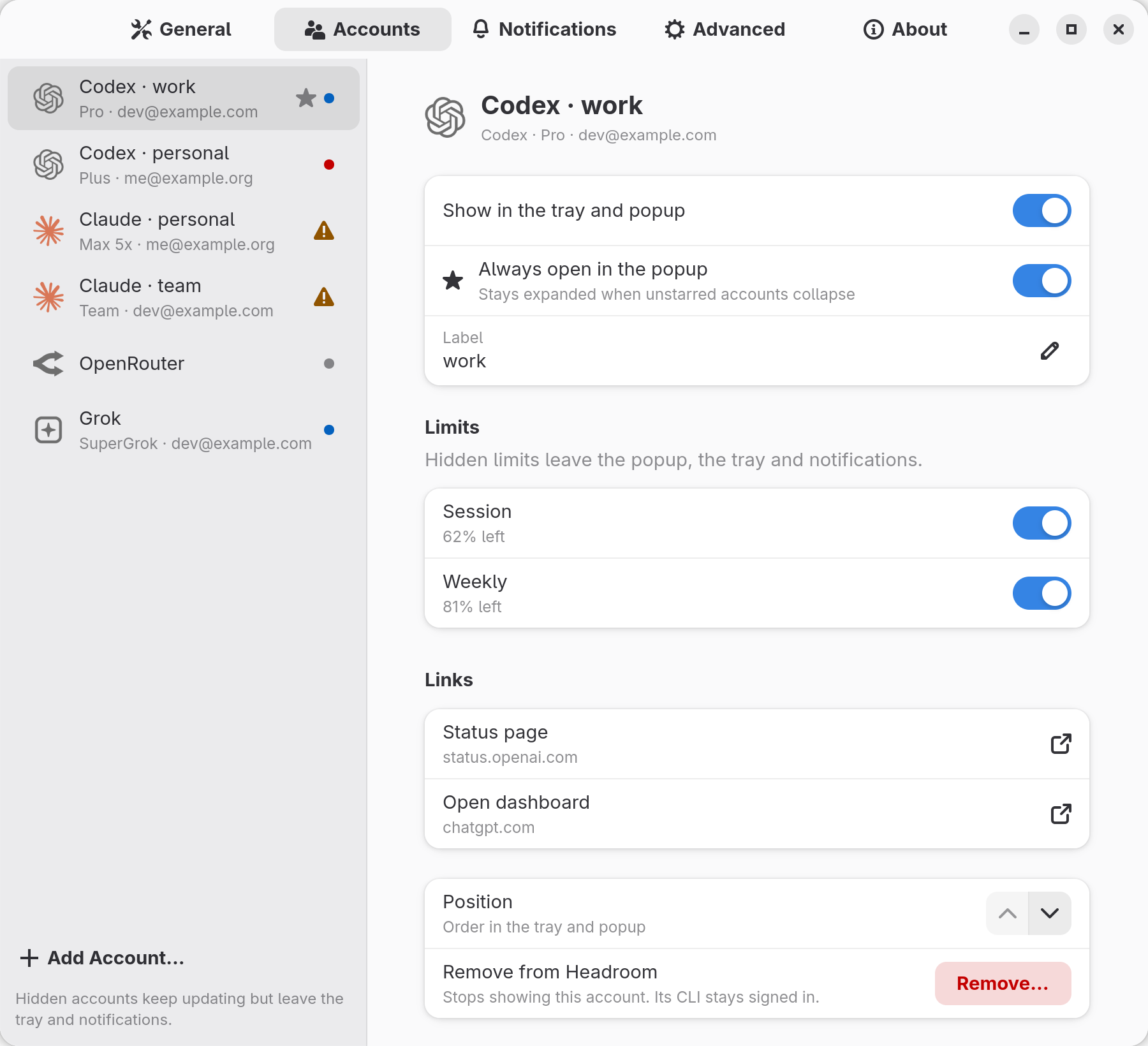
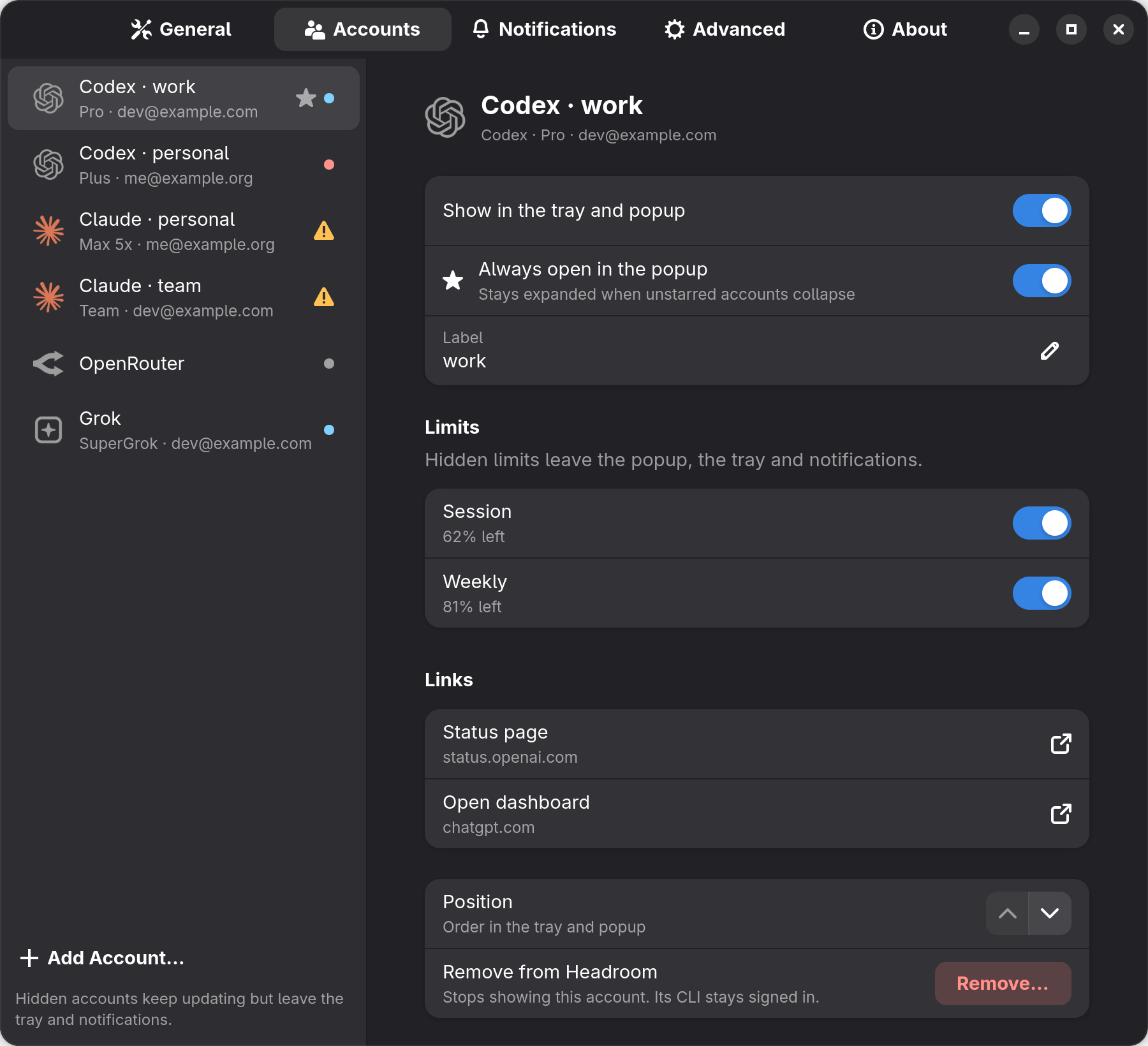
A GTK 4 / libadwaita window: General, Accounts, Notifications, Advanced and About. Accounts is a list with a details pane. A welcome window on first run.
A global shortcut
Through the GlobalShortcuts portal on Wayland, a key grab on X11, or bind headroom-tray --toggle yourself.
Packages
headroom-tray for deb, rpm and Arch, next to the main package in every release.

Works on

  • Xfce
  • Cinnamon
  • MATE
  • Budgie
  • LXQt
  • Hyprland
  • Sway
  • niri
  • river
  • labwc
  • Wayfire
  • COSMIC
  • i3bar, polybar and tint2 via snixembed
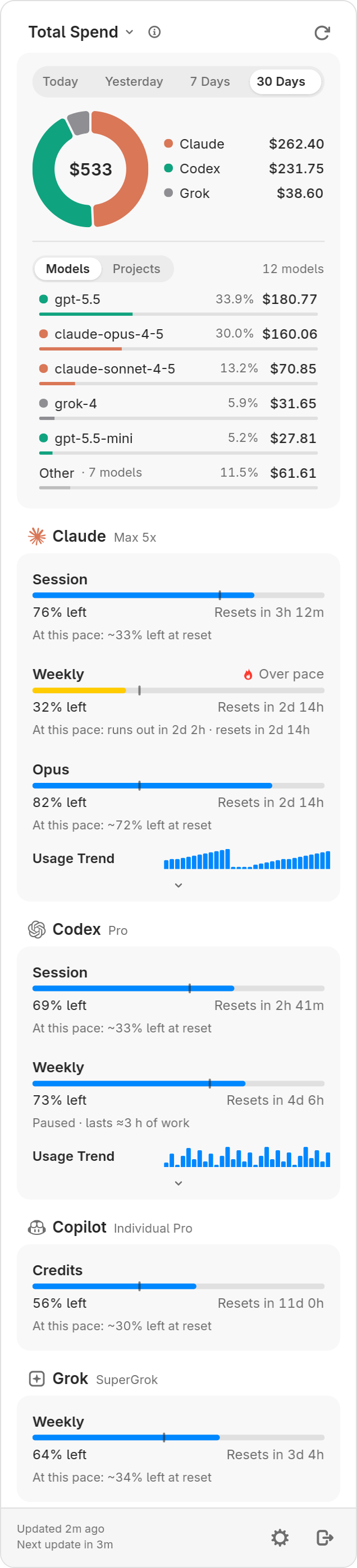
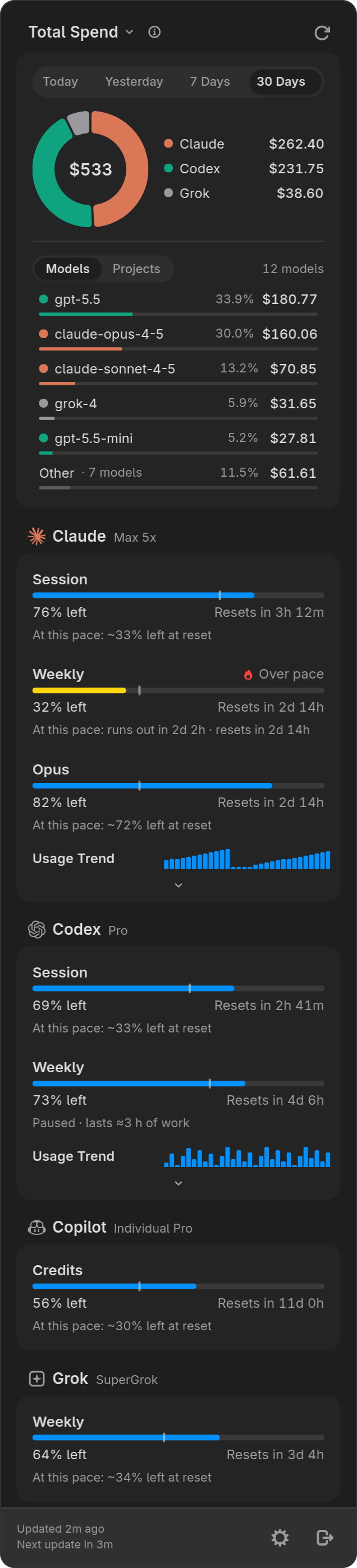
The Headroom tray popup: a spend donut with models and Other, Claude over pace and a paused Codex weekly limitThe Headroom tray popup: a spend donut with models and Other, Claude over pace and a paused Codex weekly limit
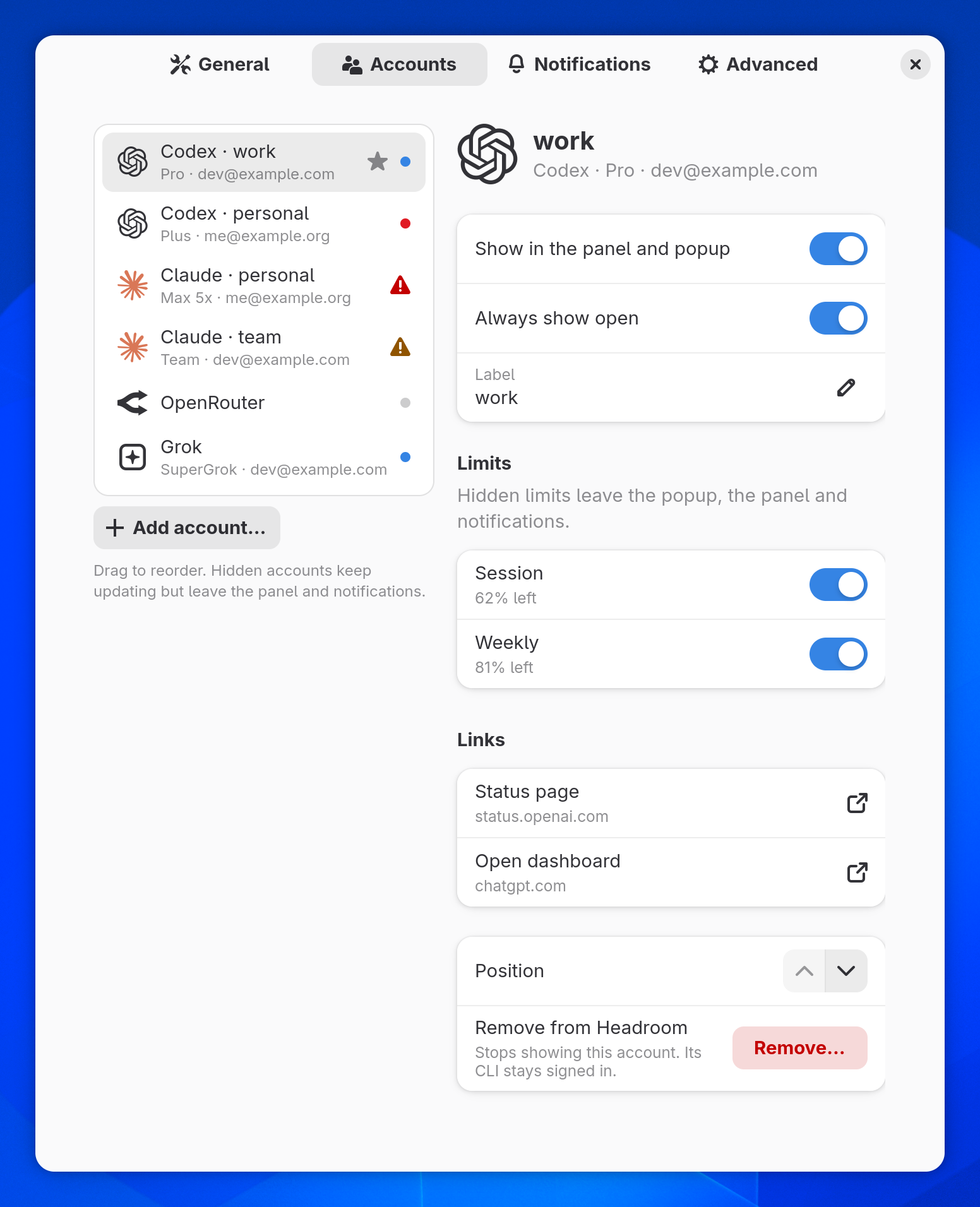
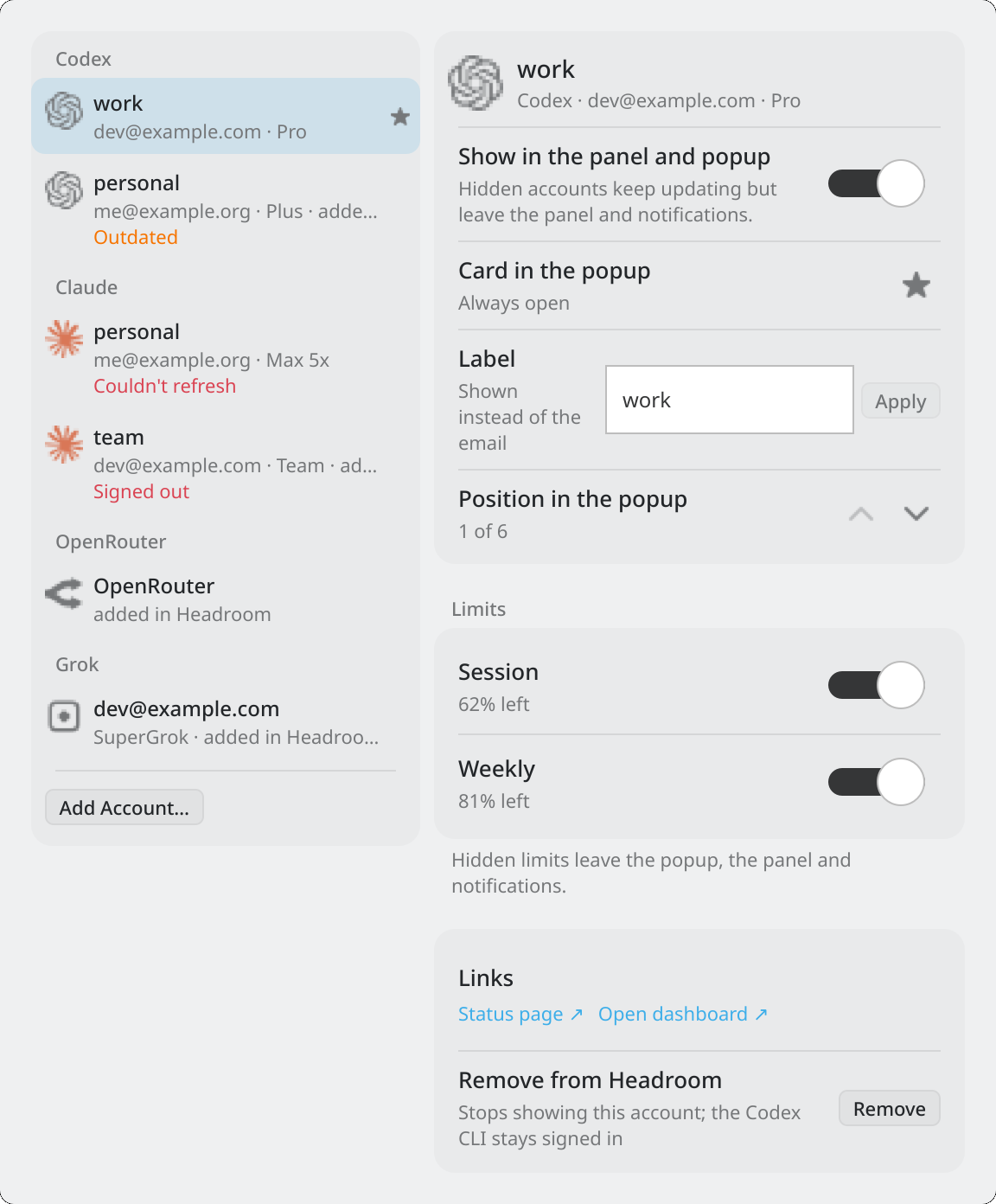
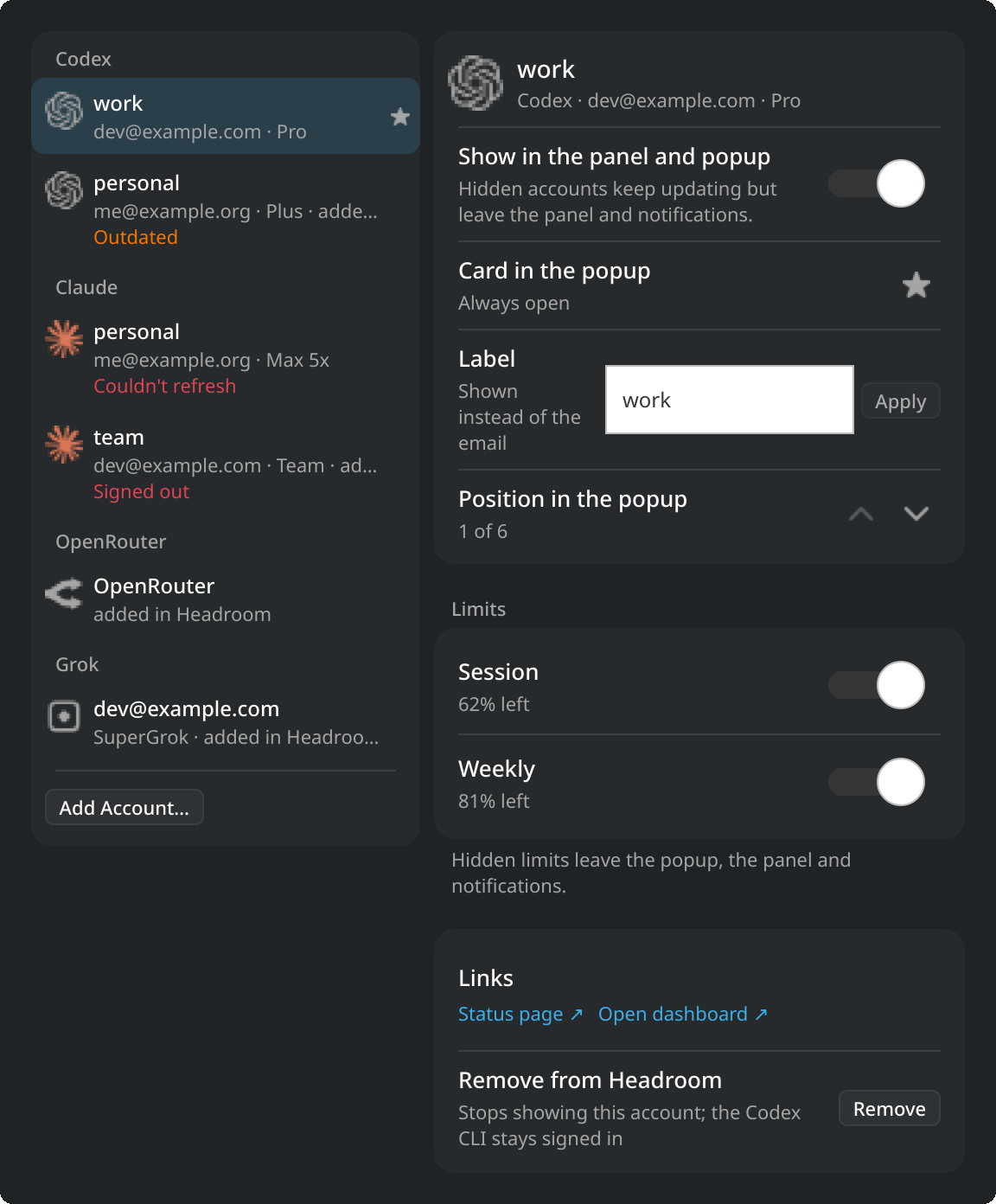
Headroom tray settings, Accounts: a list of accounts on the left and the selected Codex account's details on the rightHeadroom tray settings, Accounts: a list of accounts on the left and the selected Codex account's details on the right
Tray icon styles: a ring in the good, warning, critical and neutral tones, a mini bar with the even-pace tick, two limits in one icon, and the Headroom markTray icon styles: a ring in the good, warning, critical and neutral tones, a mini bar with the even-pace tick, two limits in one icon, and the Headroom mark
Ring, bar, two limits or the mark
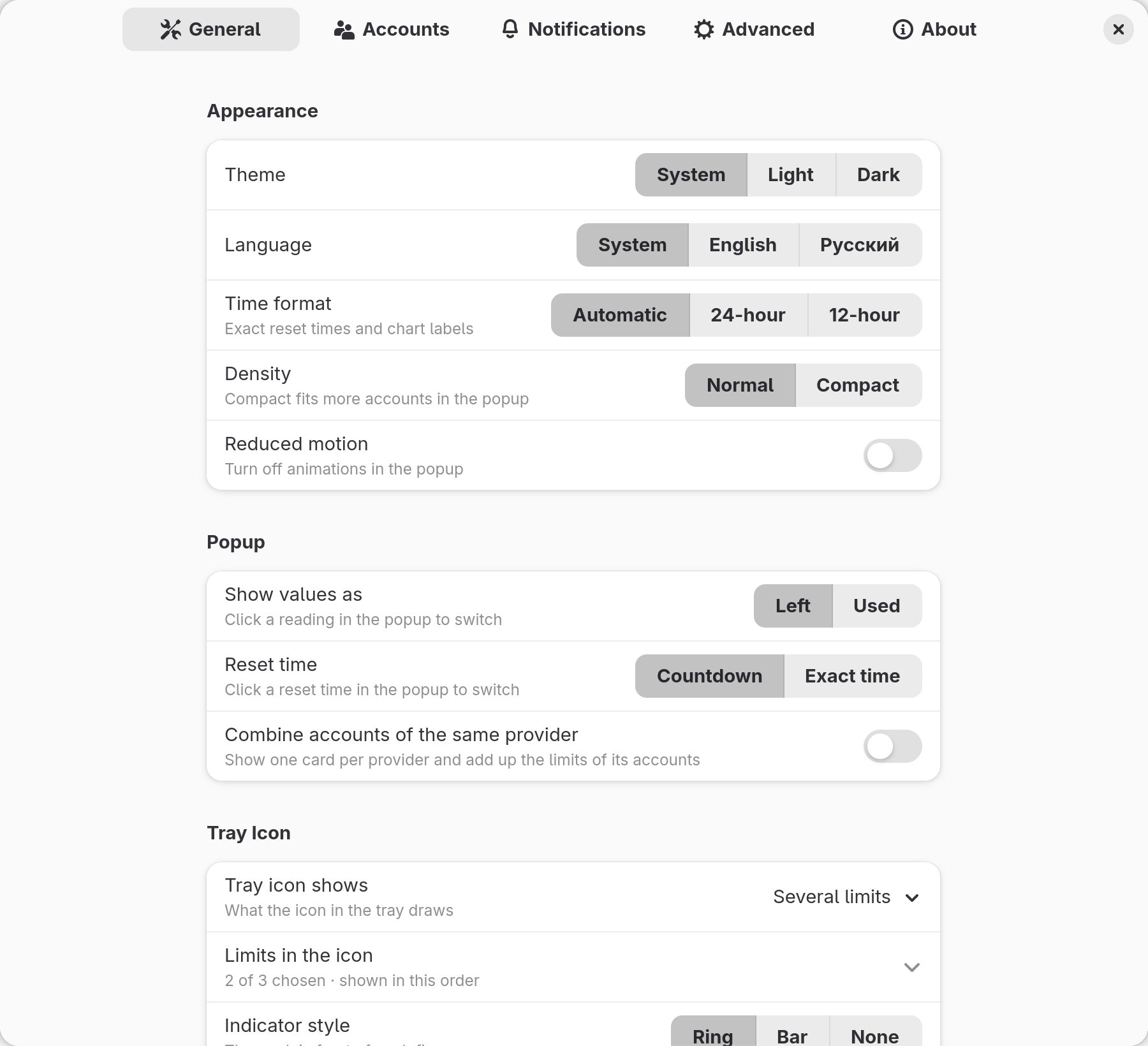
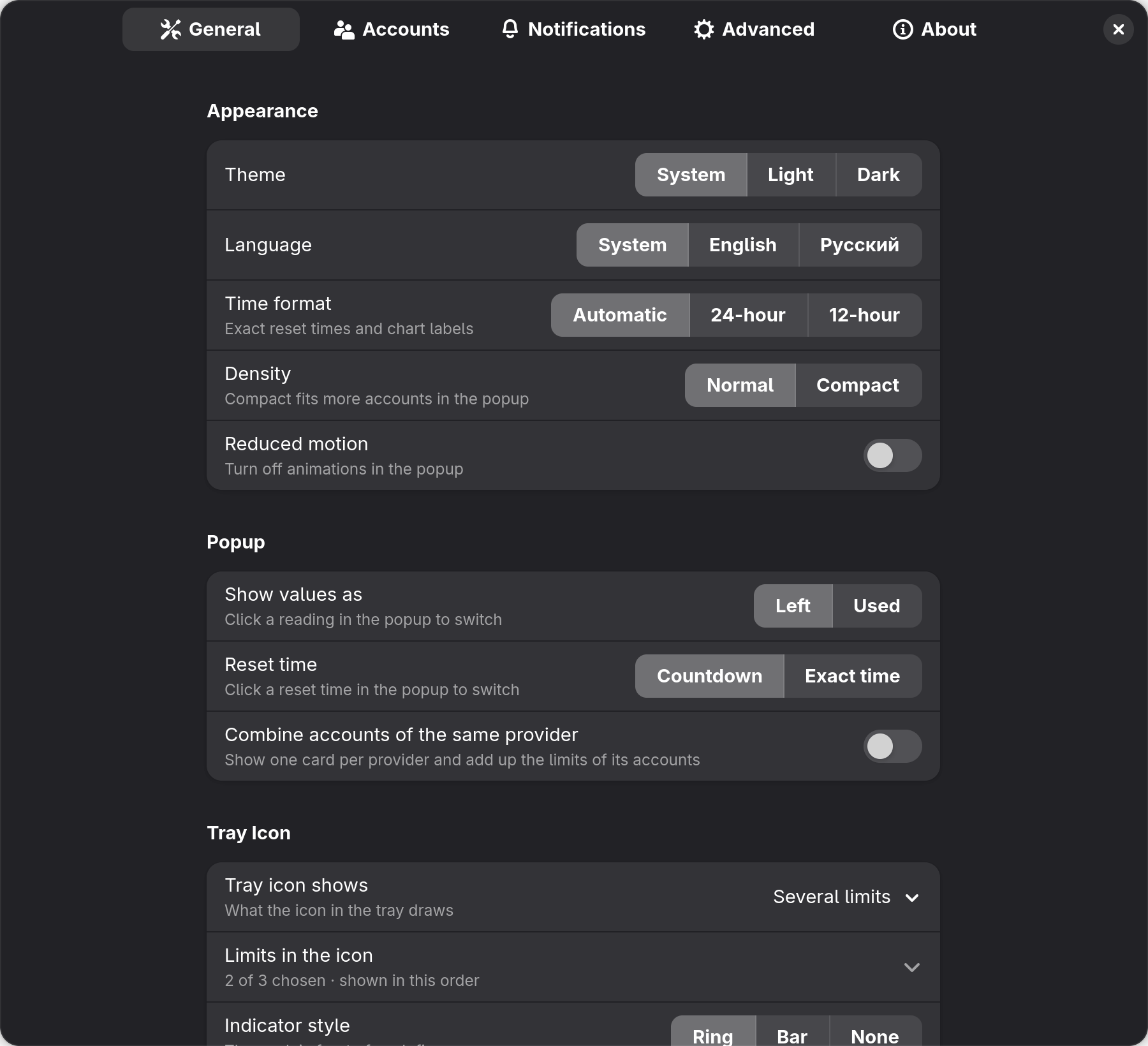
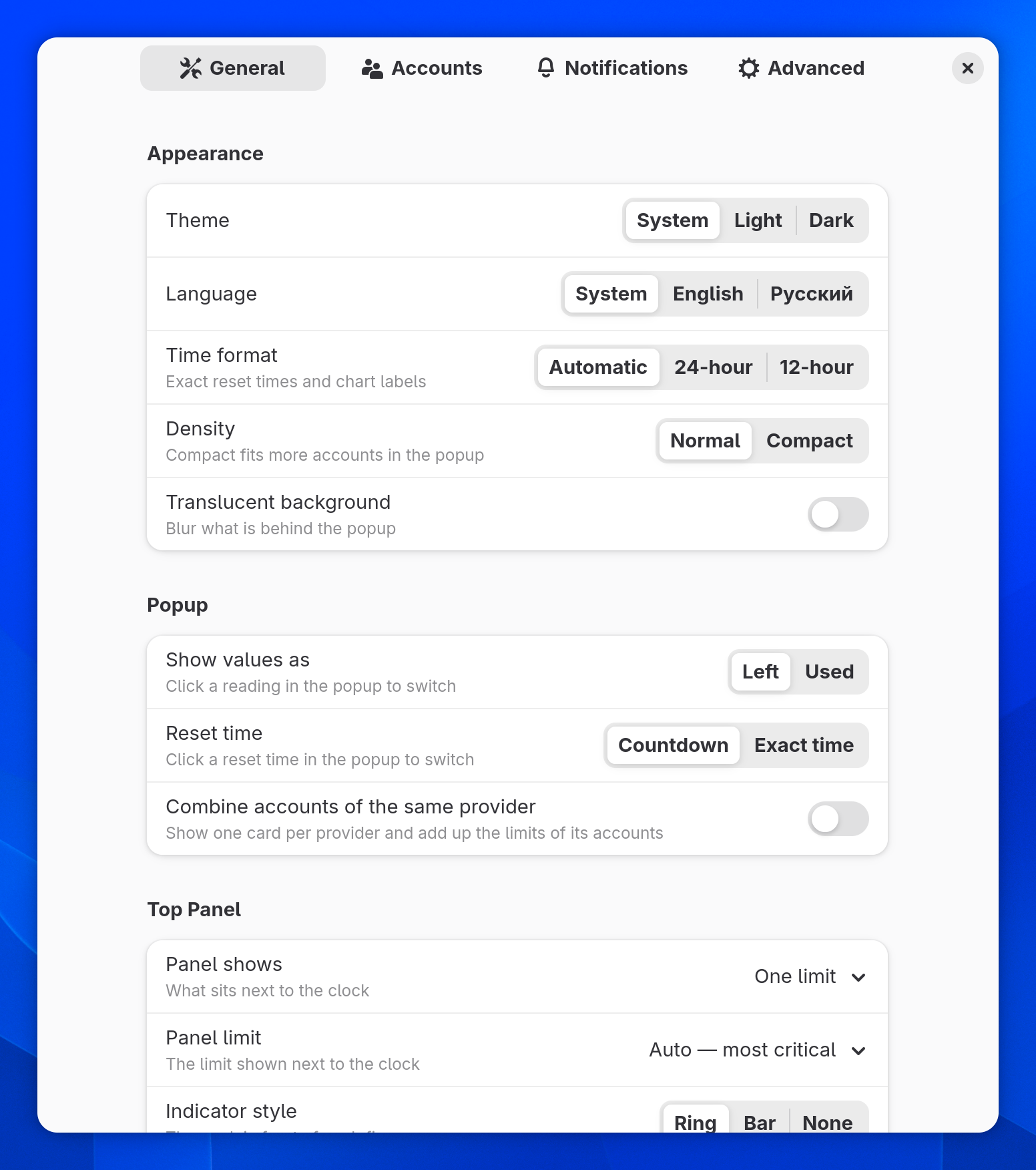
Headroom tray settings, General tab: theme, language, time format, density and the tray icon optionsHeadroom tray settings, General tab: theme, language, time format, density and the tray icon options
General, with the tray icon options

Settings that fit you.

Every option is stored by the daemon, so the popup, the panel, Waybar and the CLI always agree.

Accounts, laid out like on a Mac.

Since 0.6.1 the Accounts page is a list and a details pane in GNOME, Plasma and the tray, the way the macOS app has it.

The list
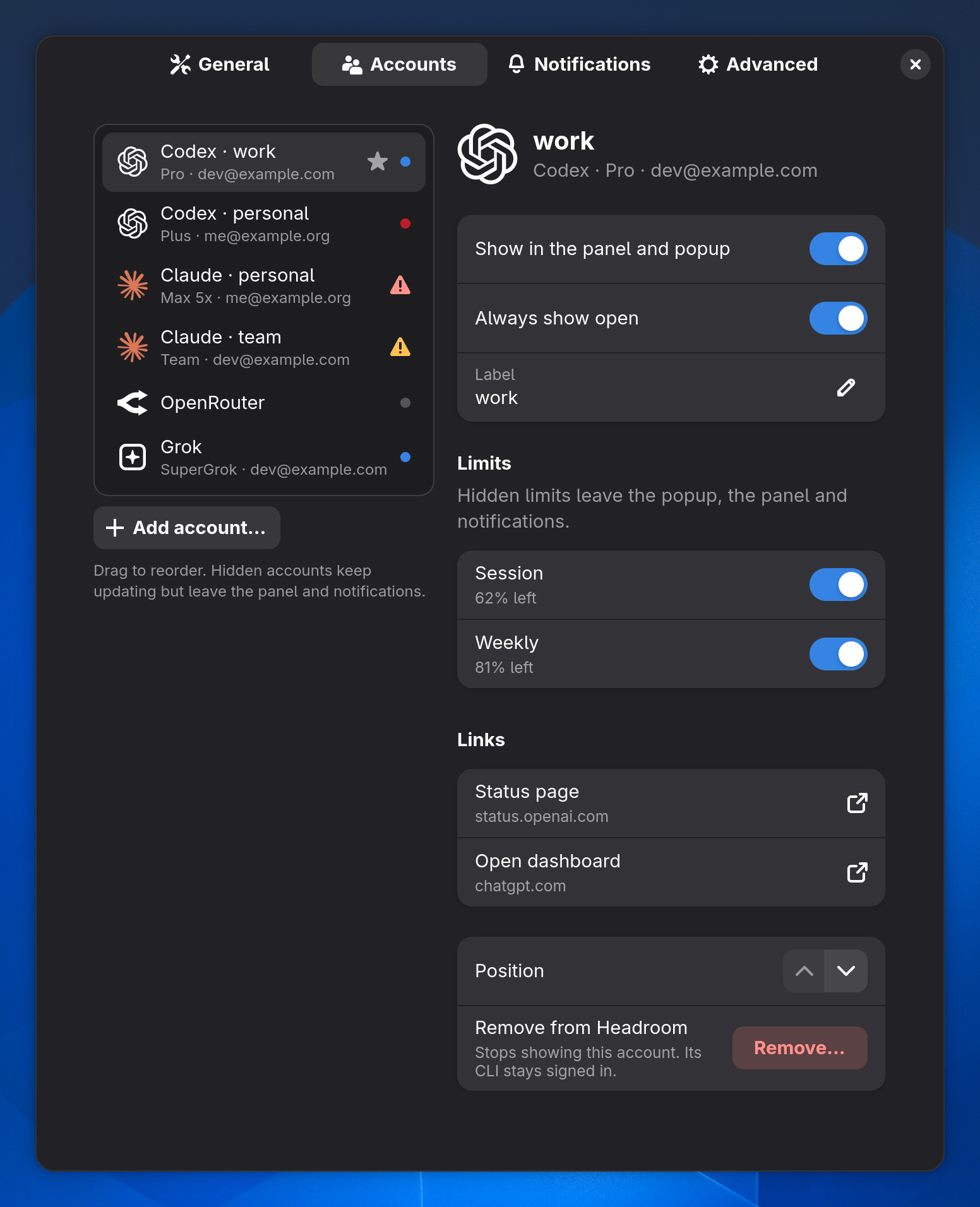
Every provider and account with its plan and email, a star for the ones that always stay open, and a status dot or a warning mark. Drag to reorder in GNOME, or move it up and down in the details.
The details
Show in the panel and popup, always show open, a label, a switch for each single limit with what's left, status and dashboard links, position and Remove…
Signed out?
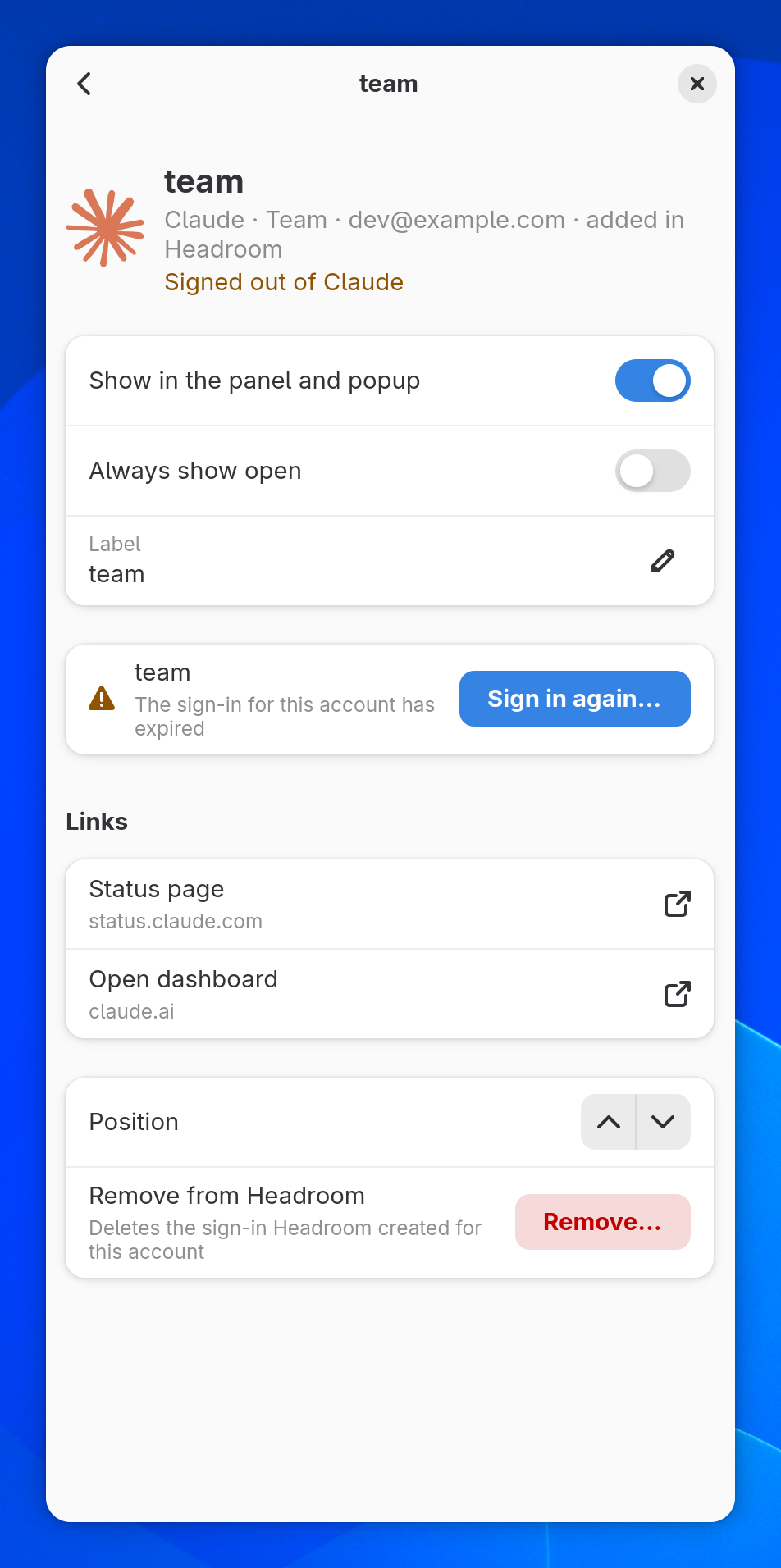
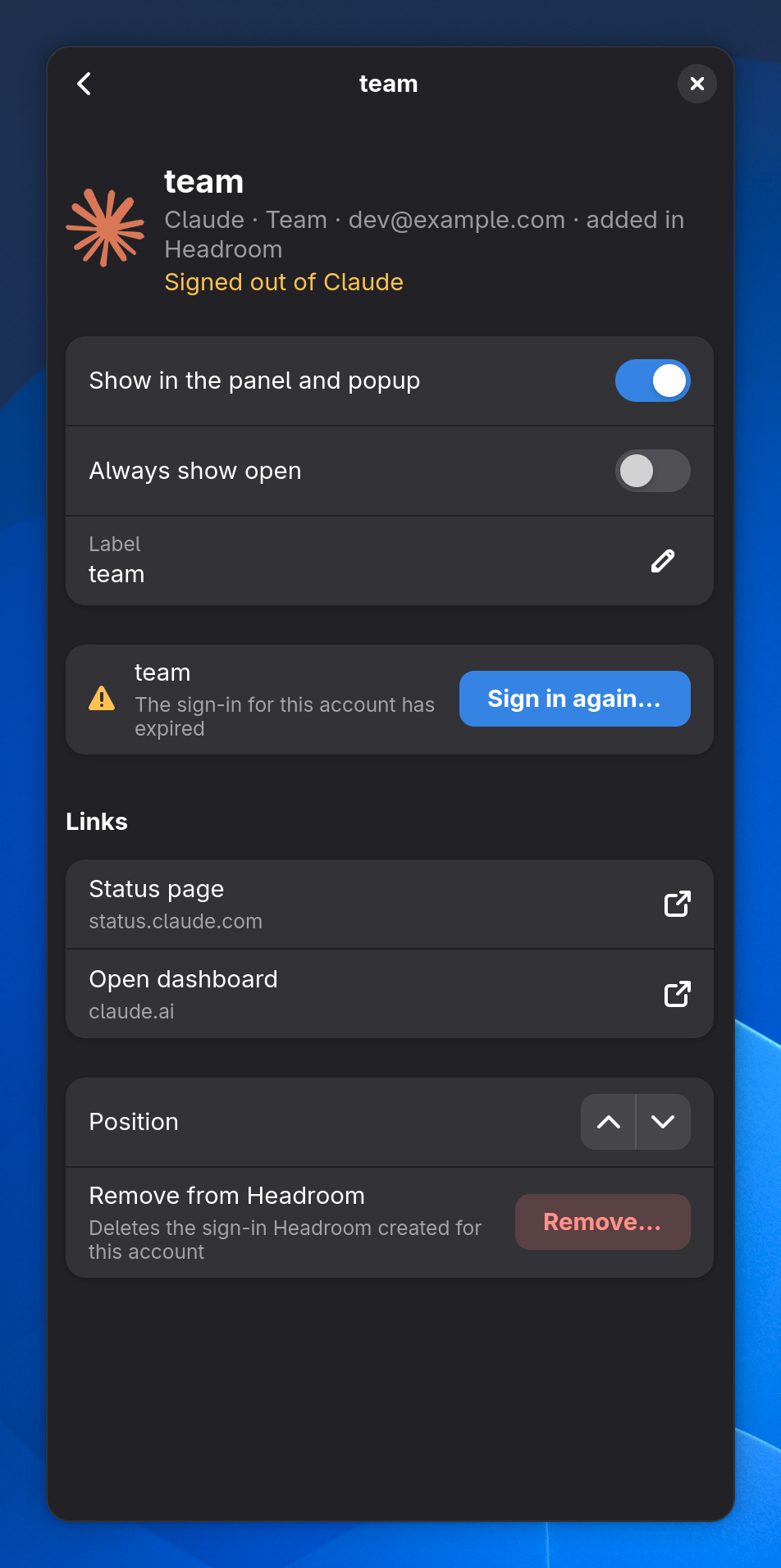
Sign in again… sits right on the account's page.
Narrow windows
The page folds into the list first, then the details with a back button.
Headroom preferences in GNOME, Accounts: a list of accounts with stars, status dots and warning marks on the left, and the Codex work account's details on the rightHeadroom preferences in GNOME, Accounts: a list of accounts with stars, status dots and warning marks on the left, and the Codex work account's details on the right
The Accounts page in a narrow GNOME window: the details of a signed-out Claude account with a back button and Sign in again…The Accounts page in a narrow GNOME window: the details of a signed-out Claude account with a back button and Sign in again…
Headroom's Configure dialog in KDE Plasma, Accounts: accounts grouped by provider on the left and the selected account's details on the rightHeadroom's Configure dialog in KDE Plasma, Accounts: accounts grouped by provider on the left and the selected account's details on the right
Headroom tray settings, Accounts: a list of accounts on the left and the selected account's details on the rightHeadroom tray settings, Accounts: a list of accounts on the left and the selected account's details on the right

The Plasma picture is a preview render, so its controls are approximate.

Every page

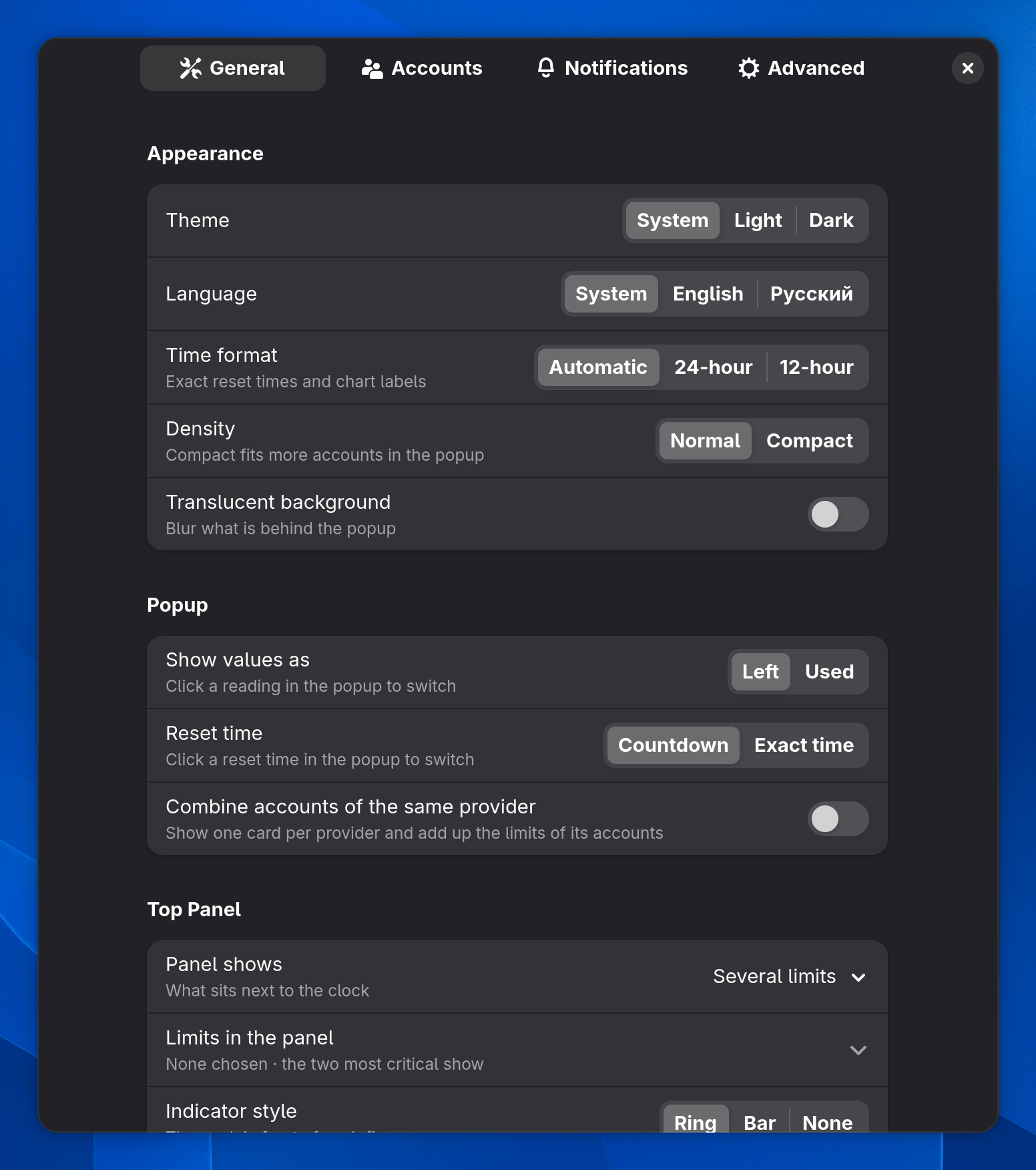
Headroom preferences in GNOME, General tab: theme, language, time format, density and translucencyHeadroom preferences in GNOME, General tab: theme, language, time format, density and translucency
Theme, language, 12- or 24-hour time, and a compact density that fits more accounts.
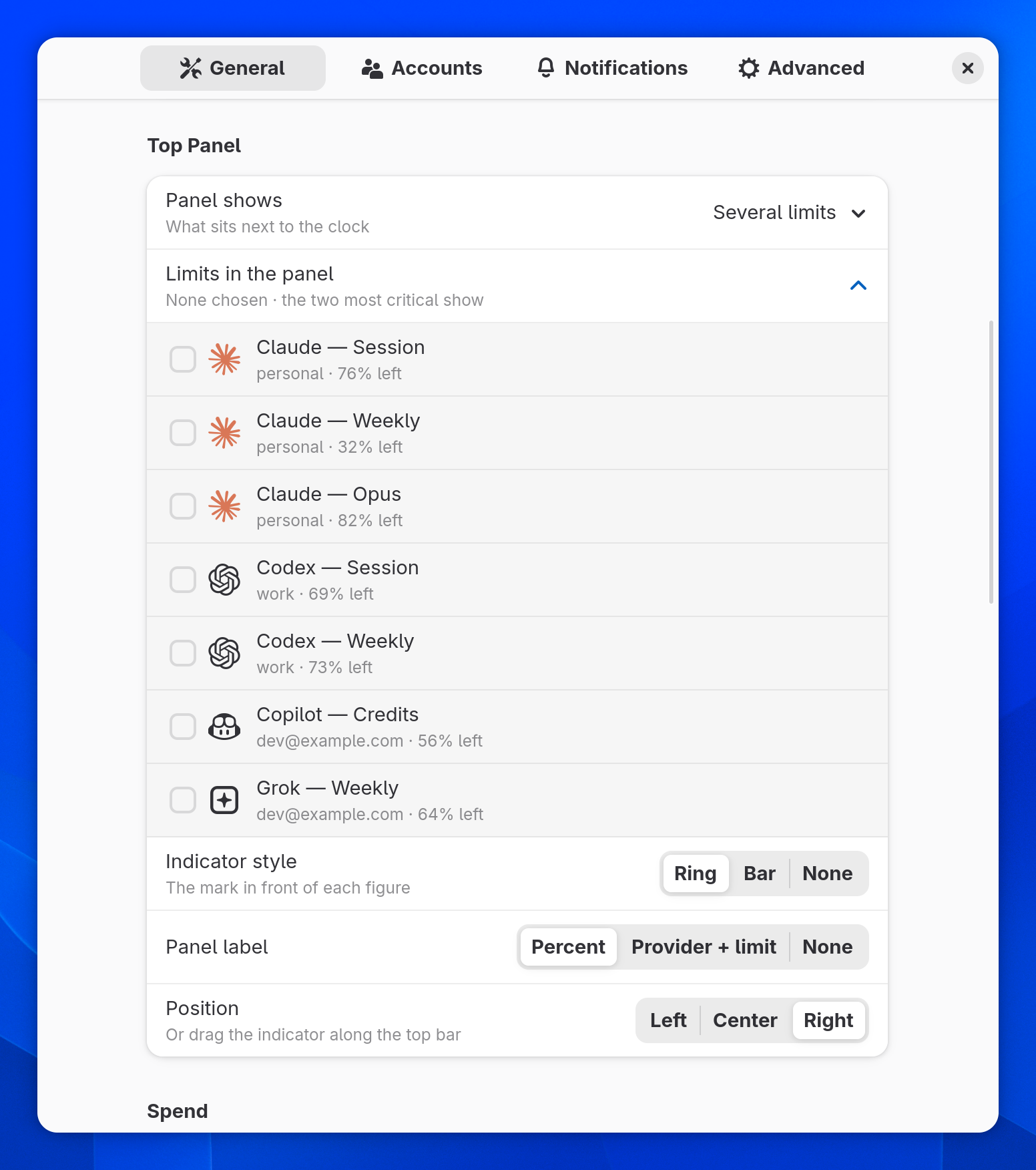
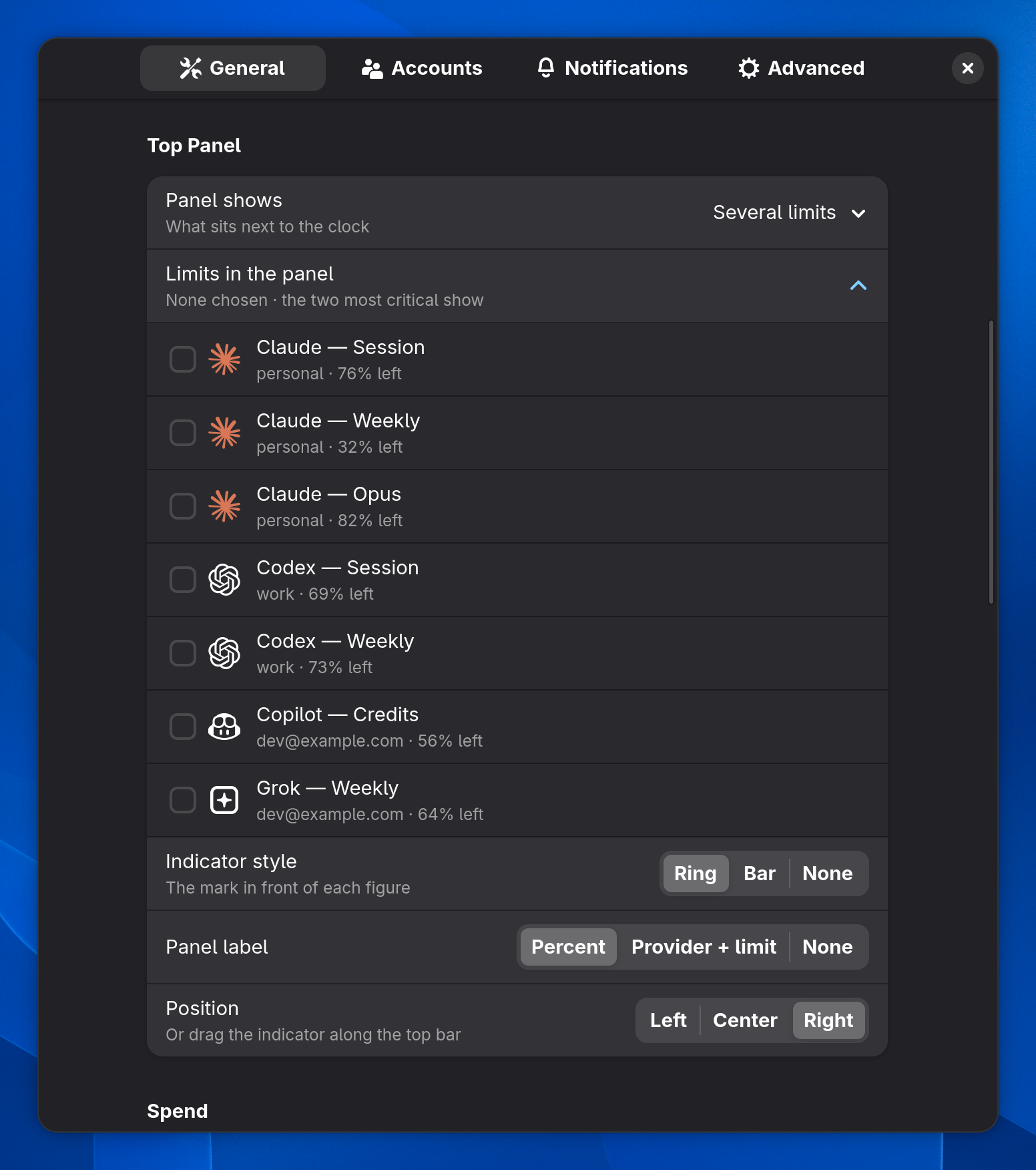
Top panel settings: several limits with provider logos, indicator style, label and positionTop panel settings: several limits with provider logos, indicator style, label and position
One limit, several limits or just the mark; ring, bar or text; left, center or right.
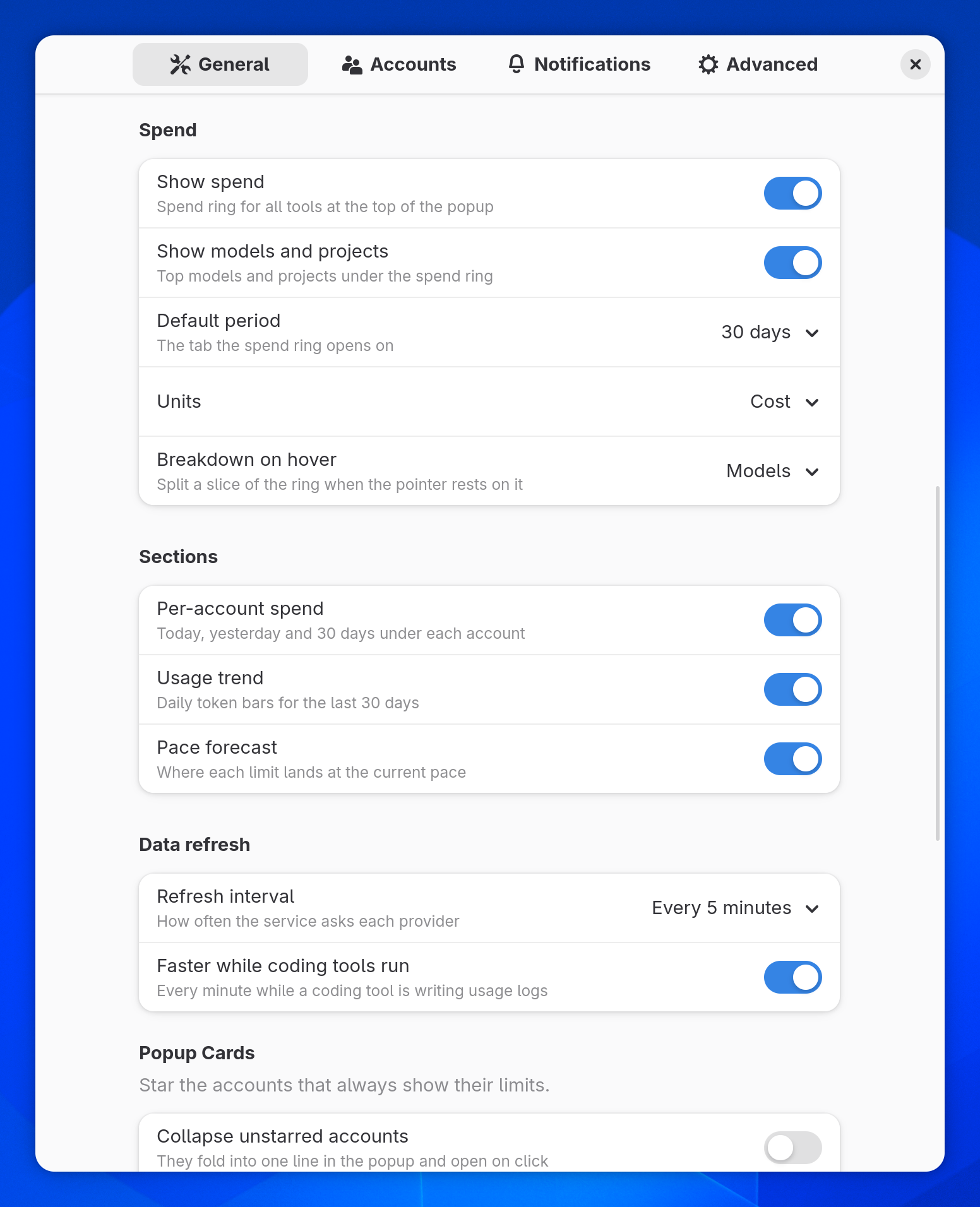
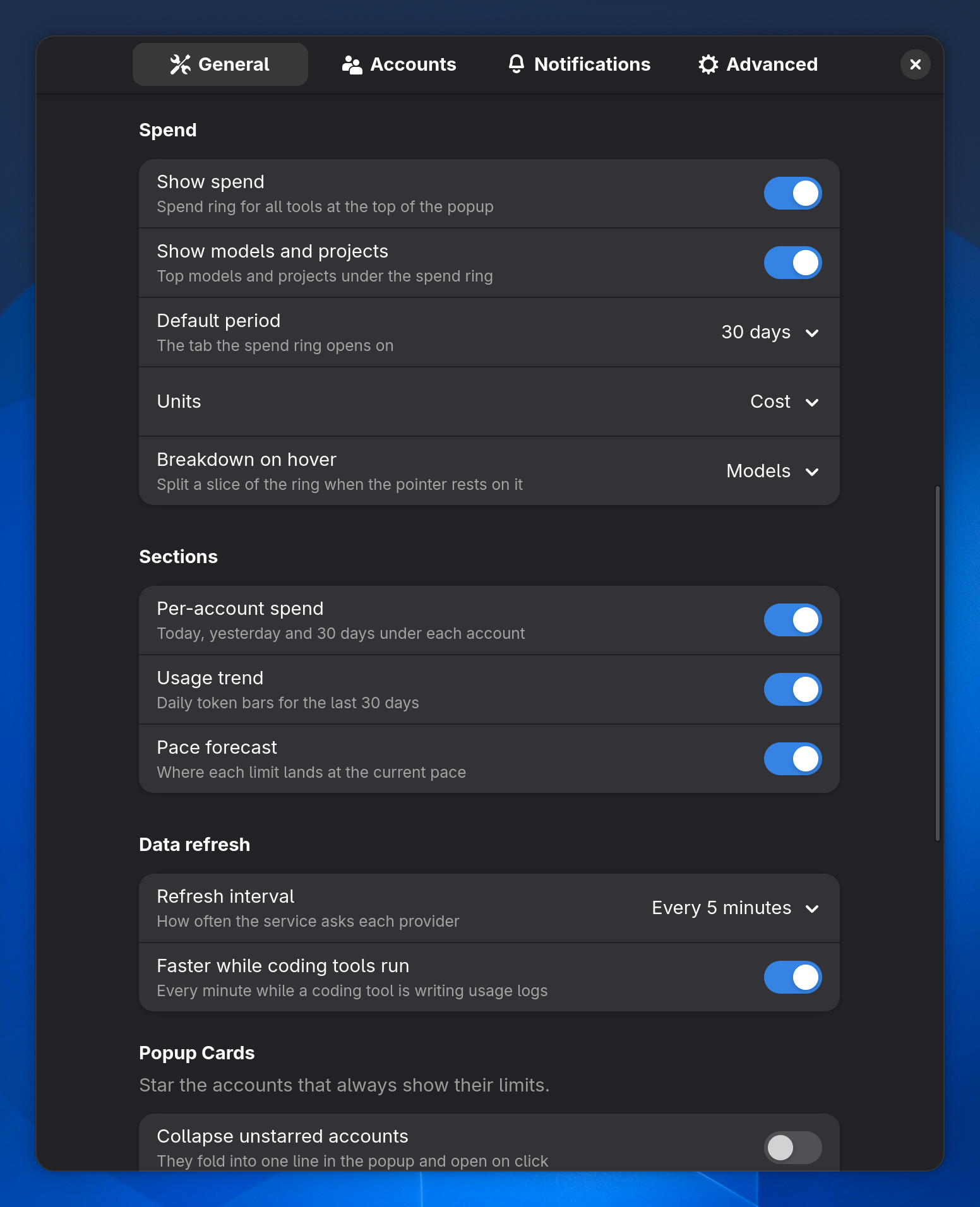
Spend settings: show spend, show models and projects, default period, units and the breakdown shown on hoverSpend settings: show spend, show models and projects, default period, units and the breakdown shown on hover
The period, unit and breakdown the spend card opens with, and Show models and projects to hide or show the list under the ring.
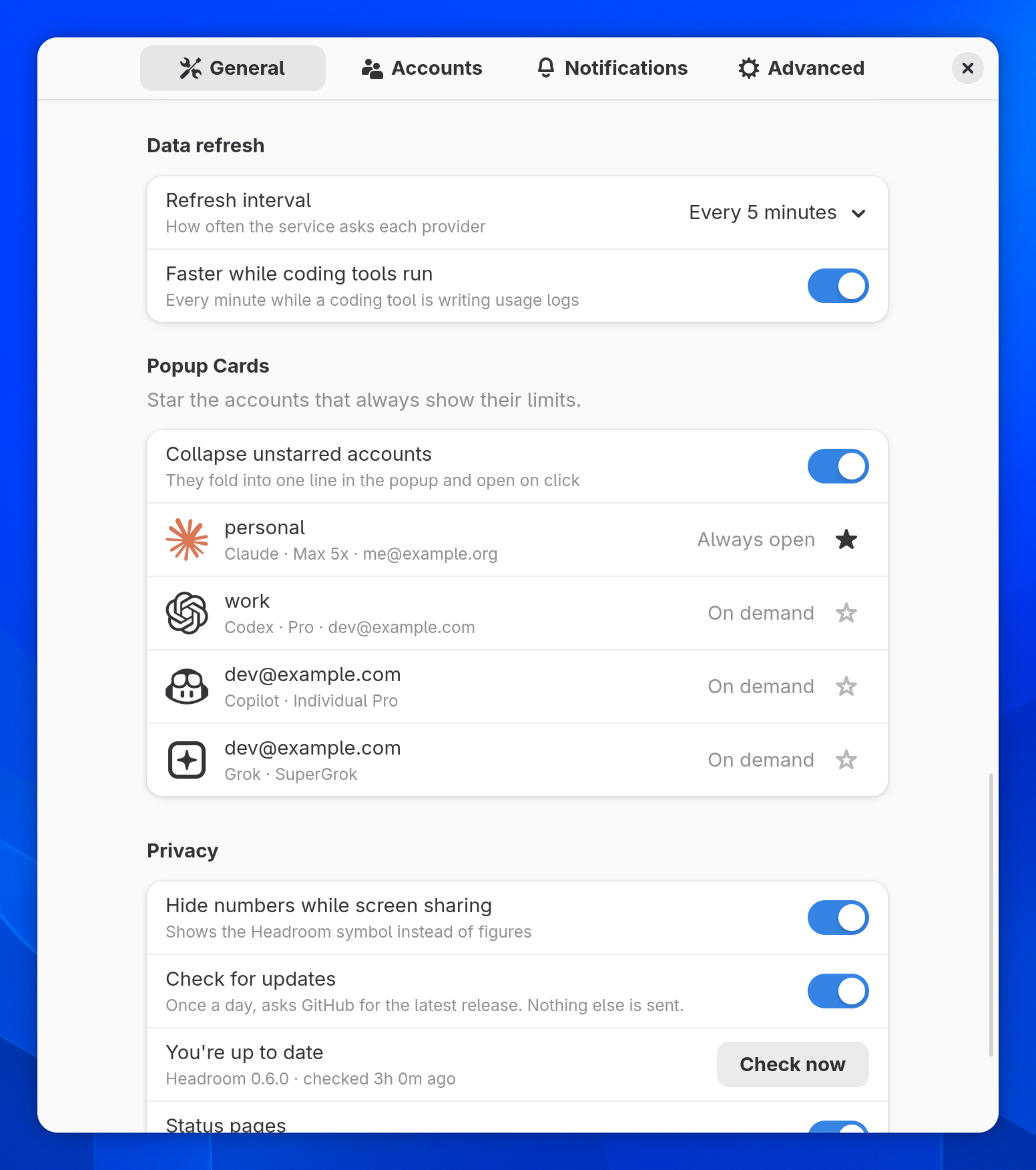
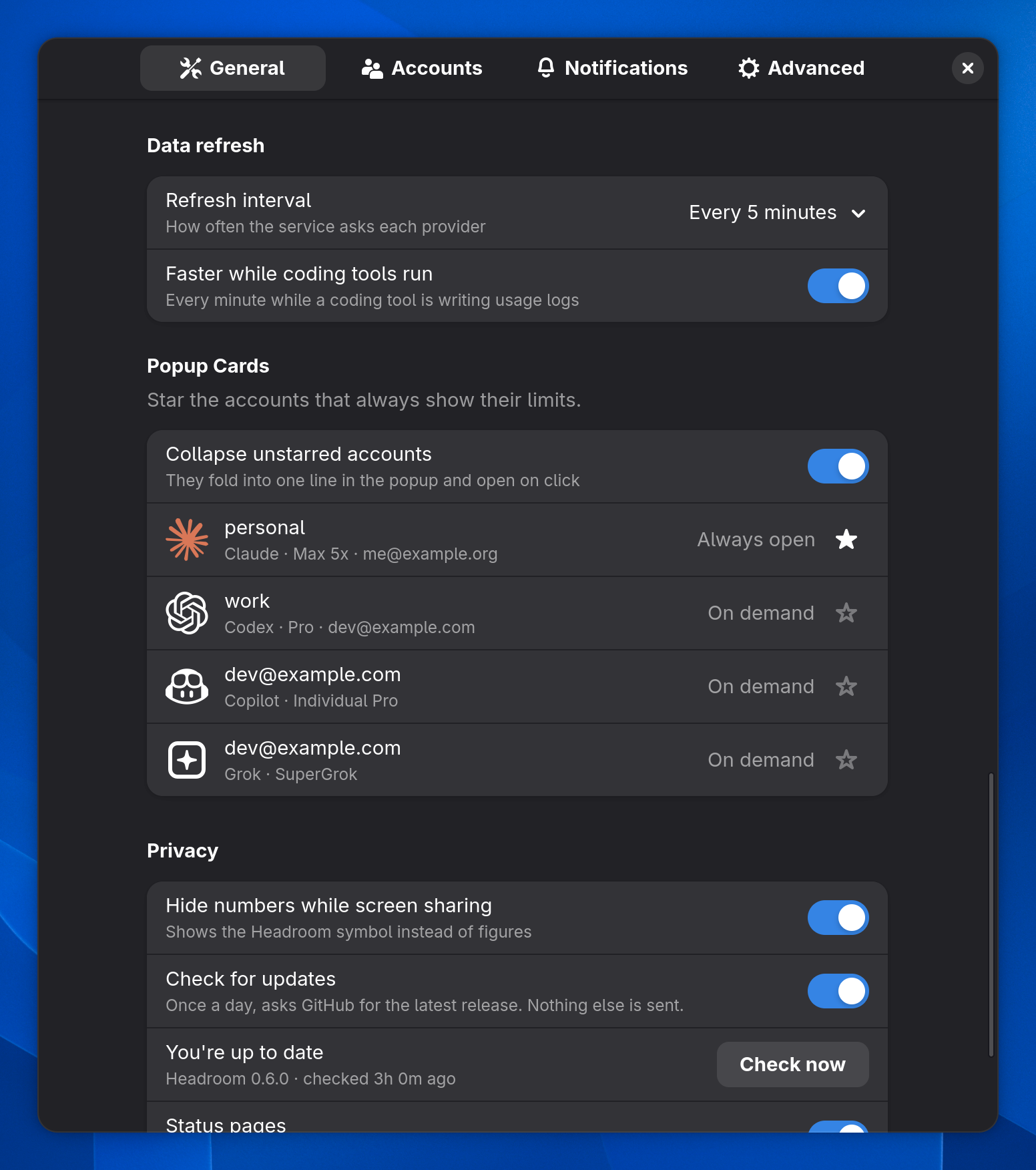
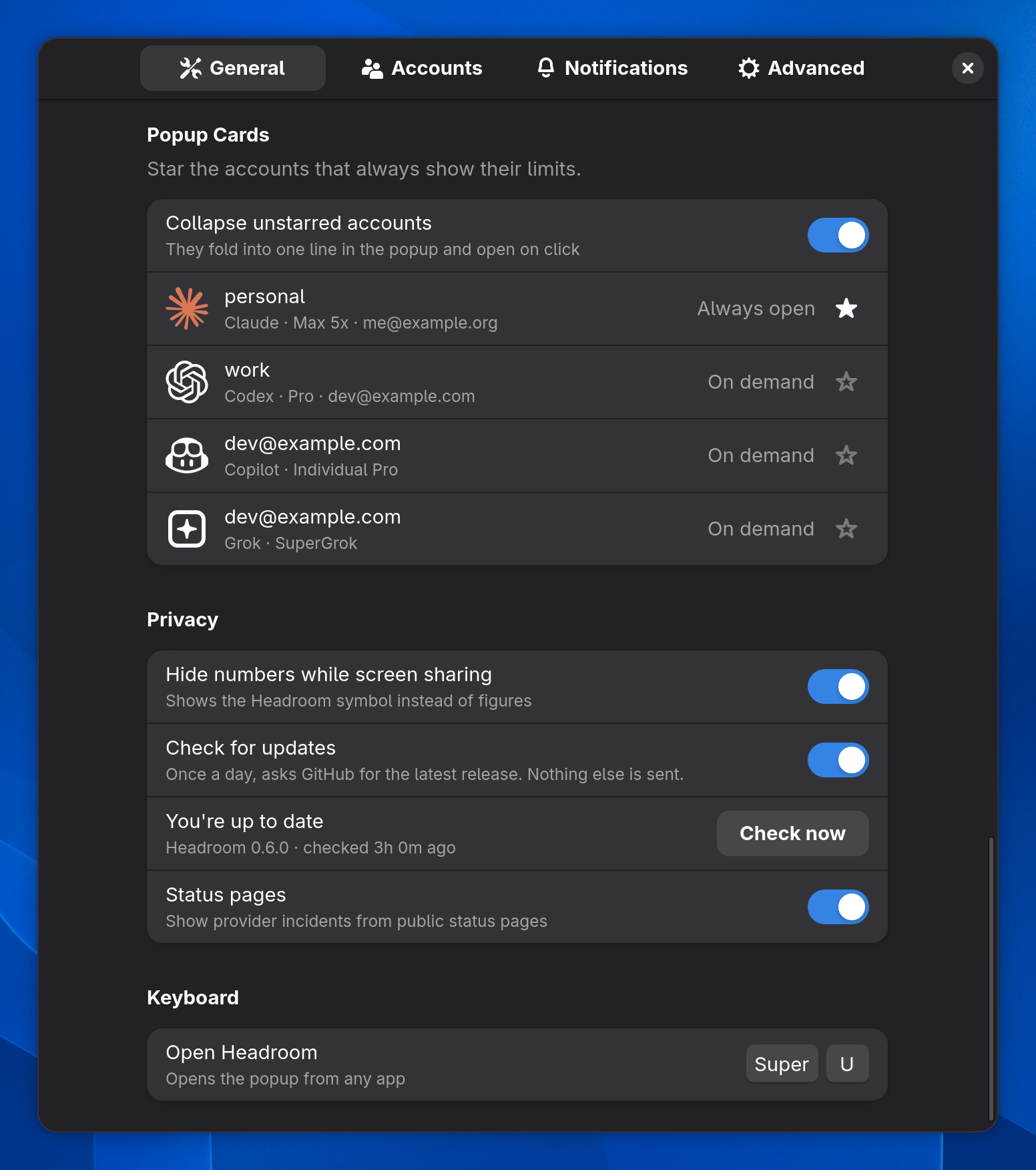
Data refresh with faster refresh while coding tools run, and popup cards with stars and collapsed unstarred accountsData refresh with faster refresh while coding tools run, and popup cards with stars and collapsed unstarred accounts
Star the accounts you always want open and fold the rest. Refresh every minute while a coding tool is writing logs.
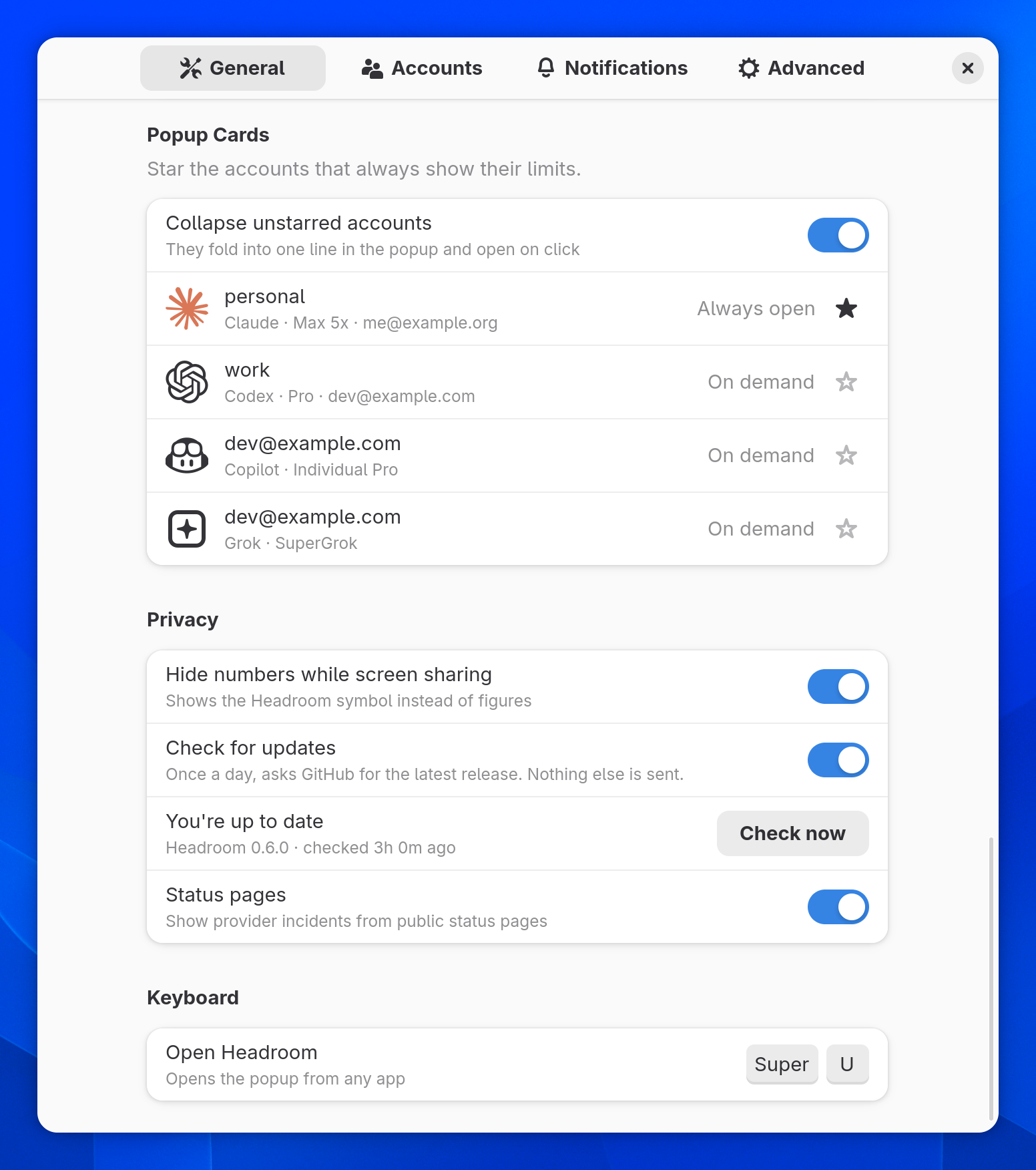
Privacy settings: hide numbers while screen sharing, the update check and status pages, plus the keyboard shortcutPrivacy settings: hide numbers while screen sharing, the update check and status pages, plus the keyboard shortcut
Hide numbers while you share your screen, the update check, and provider status pages.
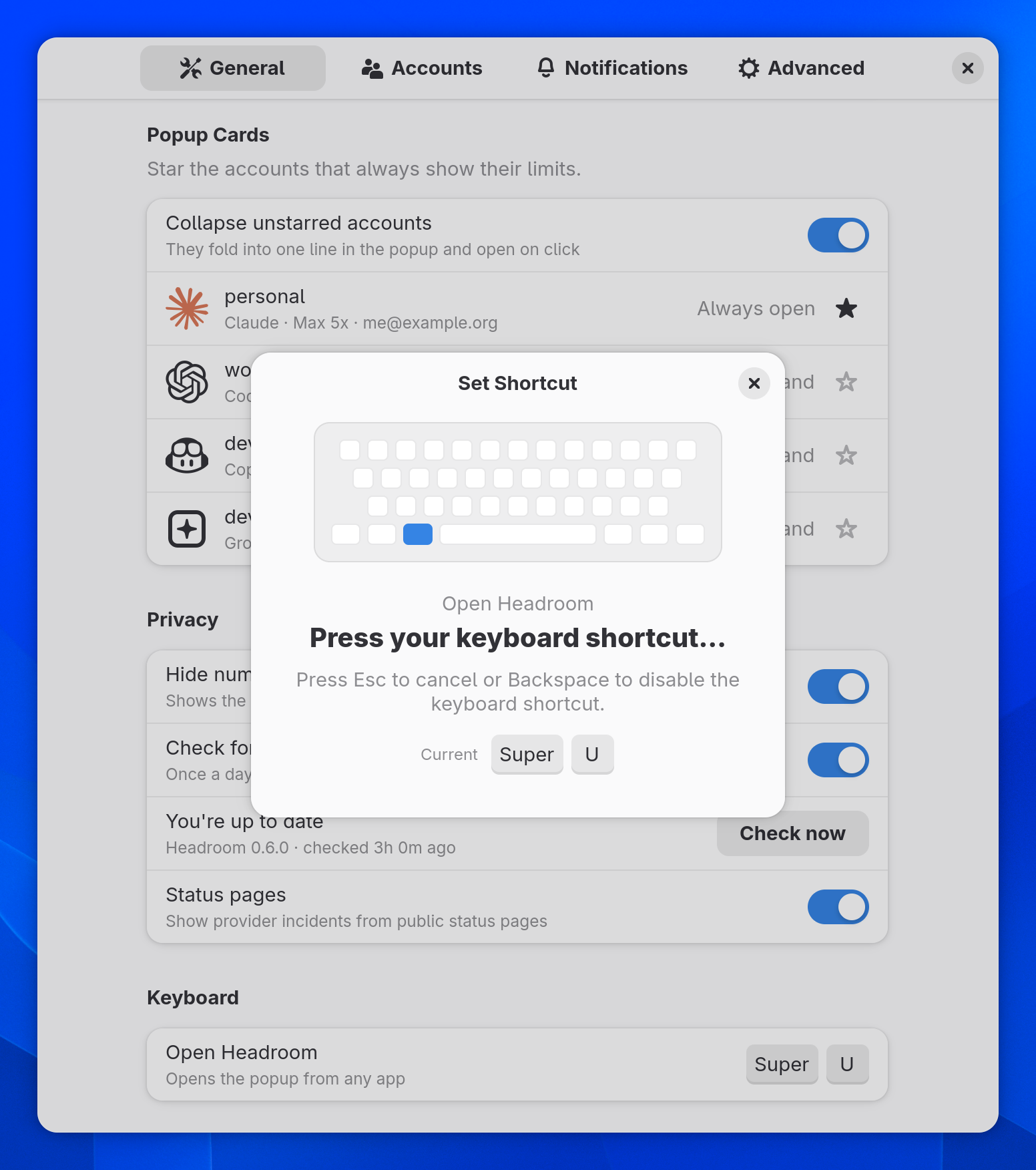
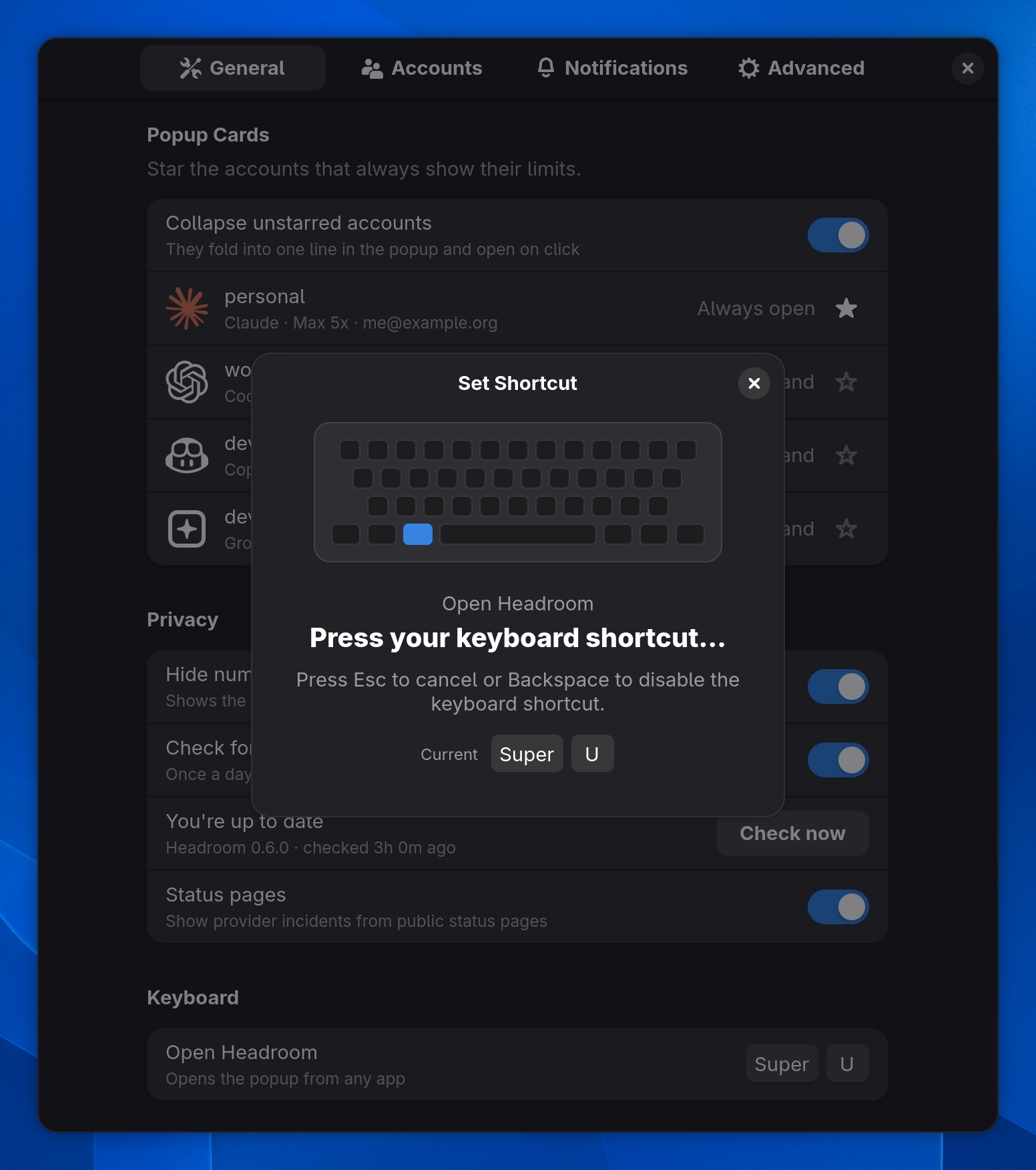
The Set Shortcut dialog waiting for a key combinationThe Set Shortcut dialog waiting for a key combination
A global key combination that opens Headroom from anywhere.
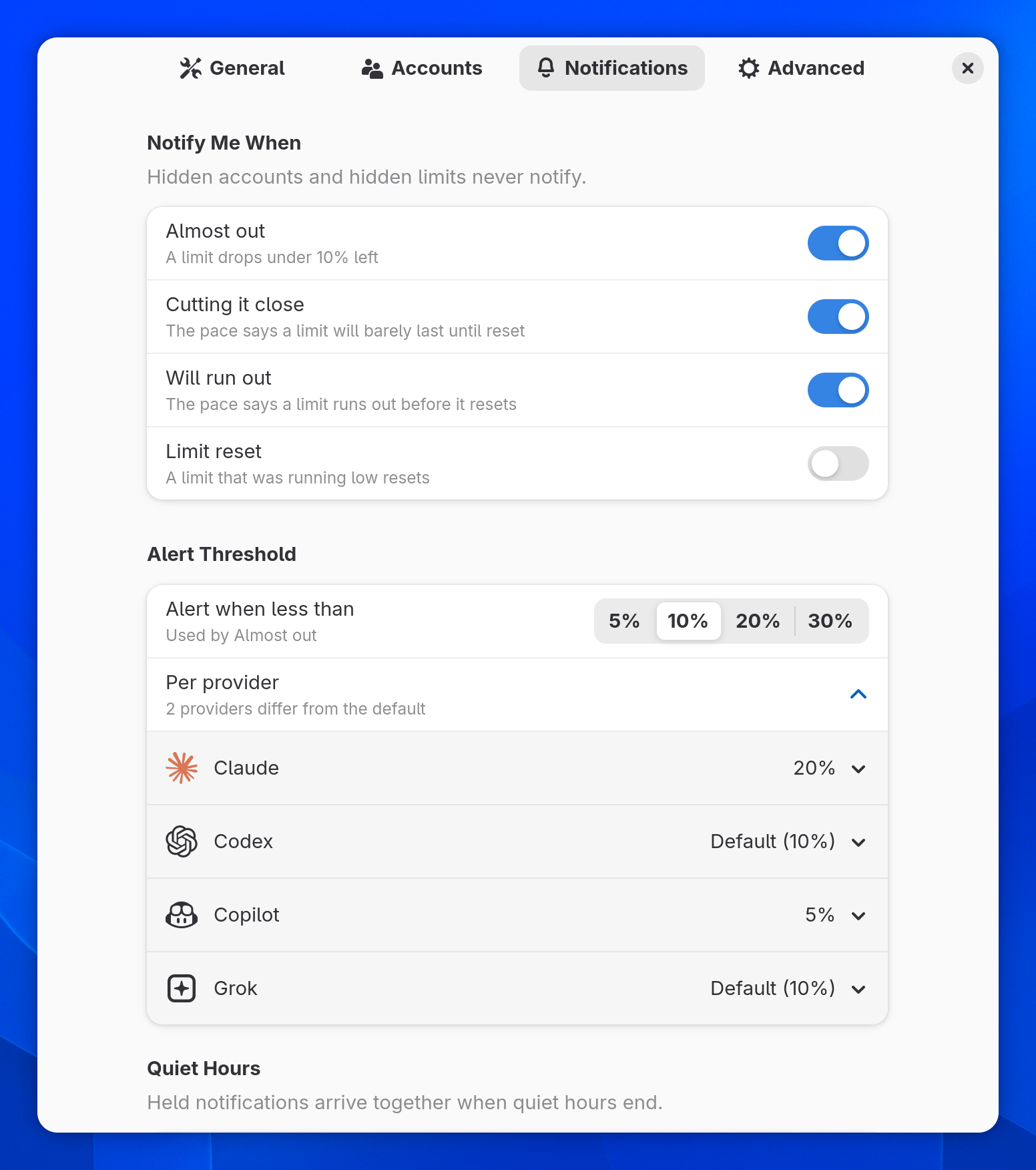
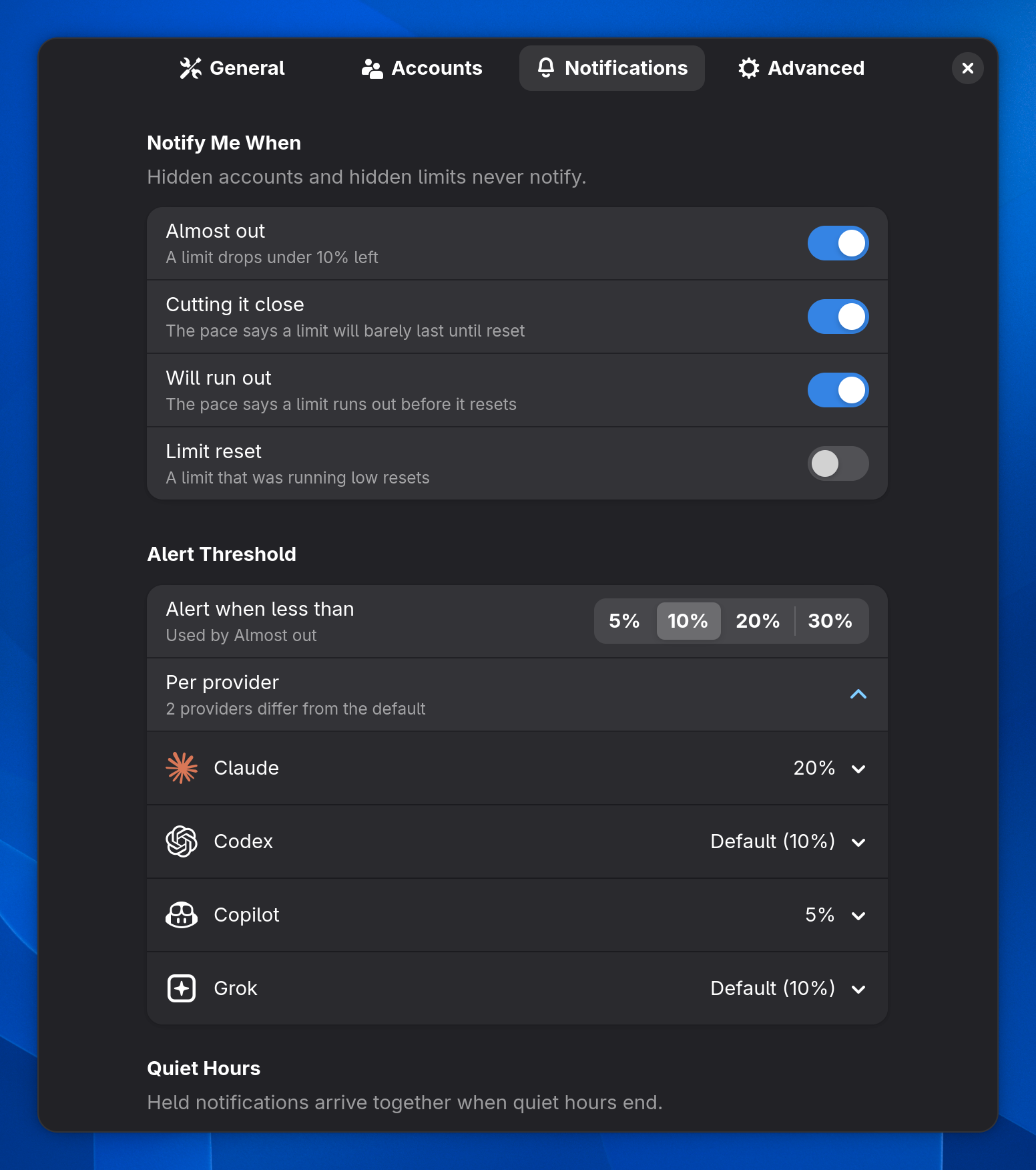
Notification settings: triggers, the alert threshold and per-provider overridesNotification settings: triggers, the alert threshold and per-provider overrides
Warn at 5, 10, 20 or 30 % left, with a different threshold per provider.
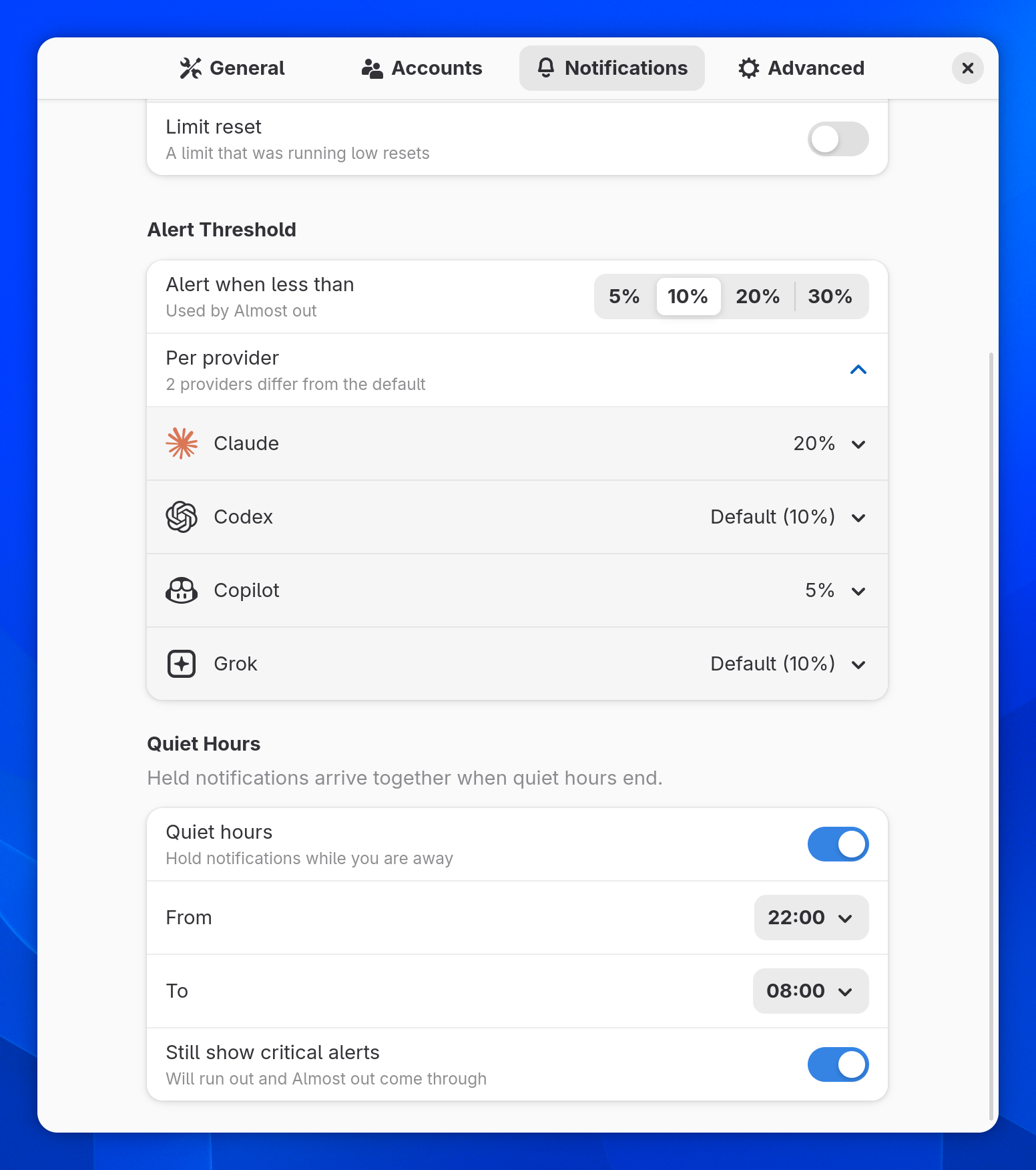
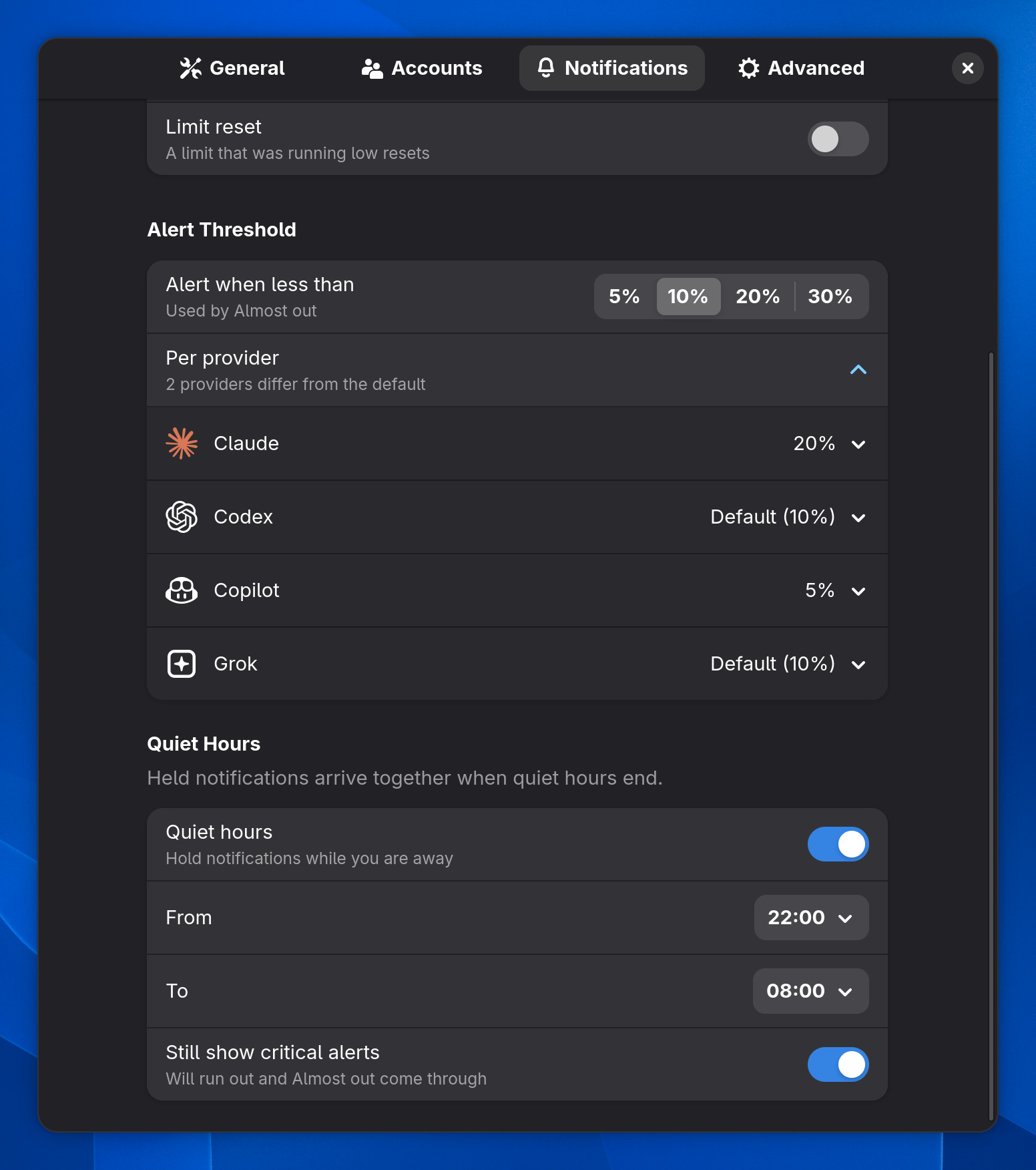
Quiet hours from 22:00 to 08:00 with critical alerts still shownQuiet hours from 22:00 to 08:00 with critical alerts still shown
Hold alerts during the hours you pick and get one summary afterwards. Critical alerts can still come through.
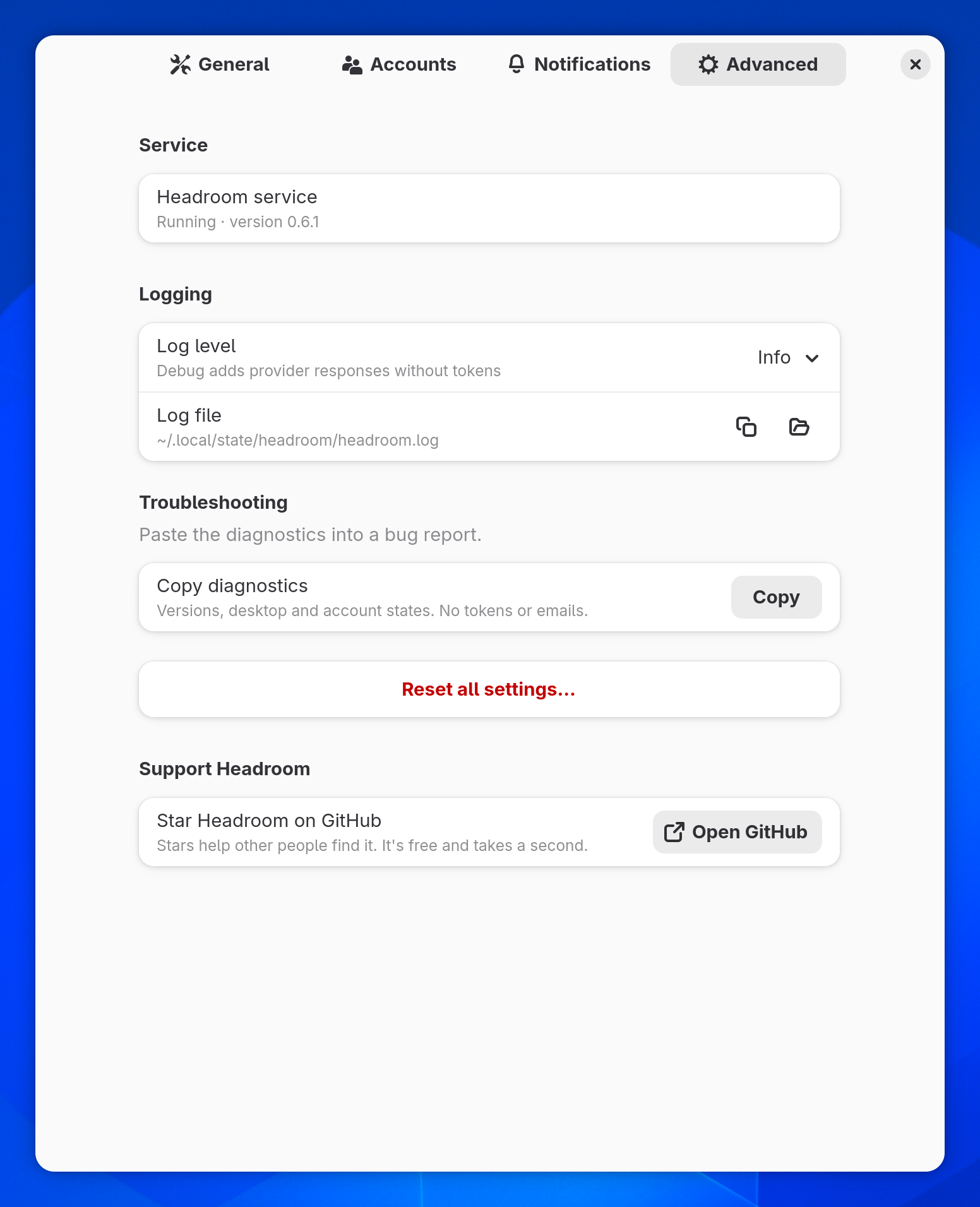
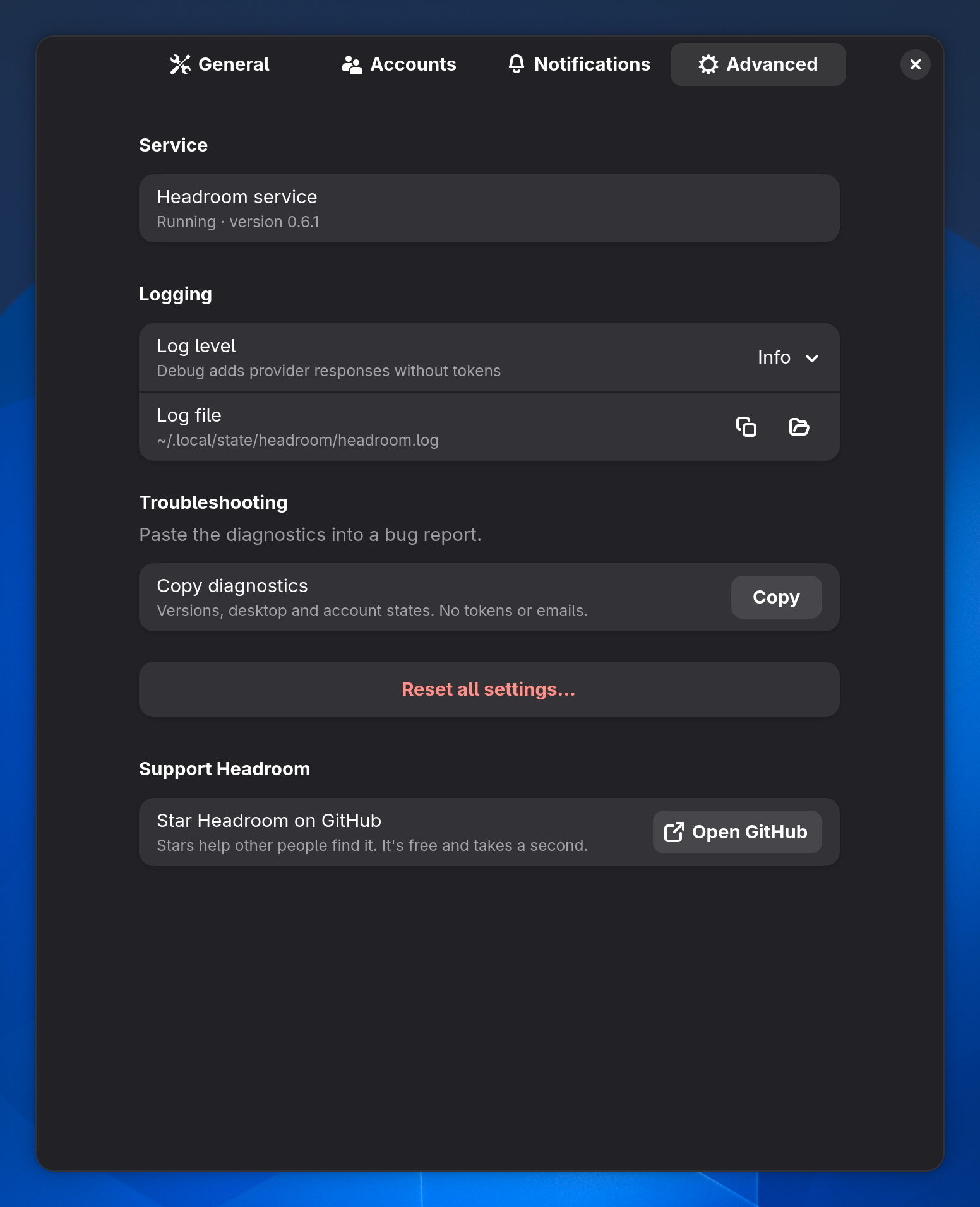
Advanced settings: service status, logging, Copy diagnostics, Reset all settings and the Support Headroom group with an Open GitHub buttonAdvanced settings: service status, logging, Copy diagnostics, Reset all settings and the Support Headroom group with an Open GitHub button
Log level, the log file, Copy diagnostics and Reset all settings, which keeps your accounts. At the bottom, Support Headroom: Star Headroom on GitHub.

Shown in GNOME. The tray has the same pages plus a Tray Icon section and About, Plasma keeps them in the widget's Configure… dialog, and macOS adds a Service tab.

Star Headroom on GitHub

Stars help other people find it. It's free and takes a second.

Open GitHub

First run.

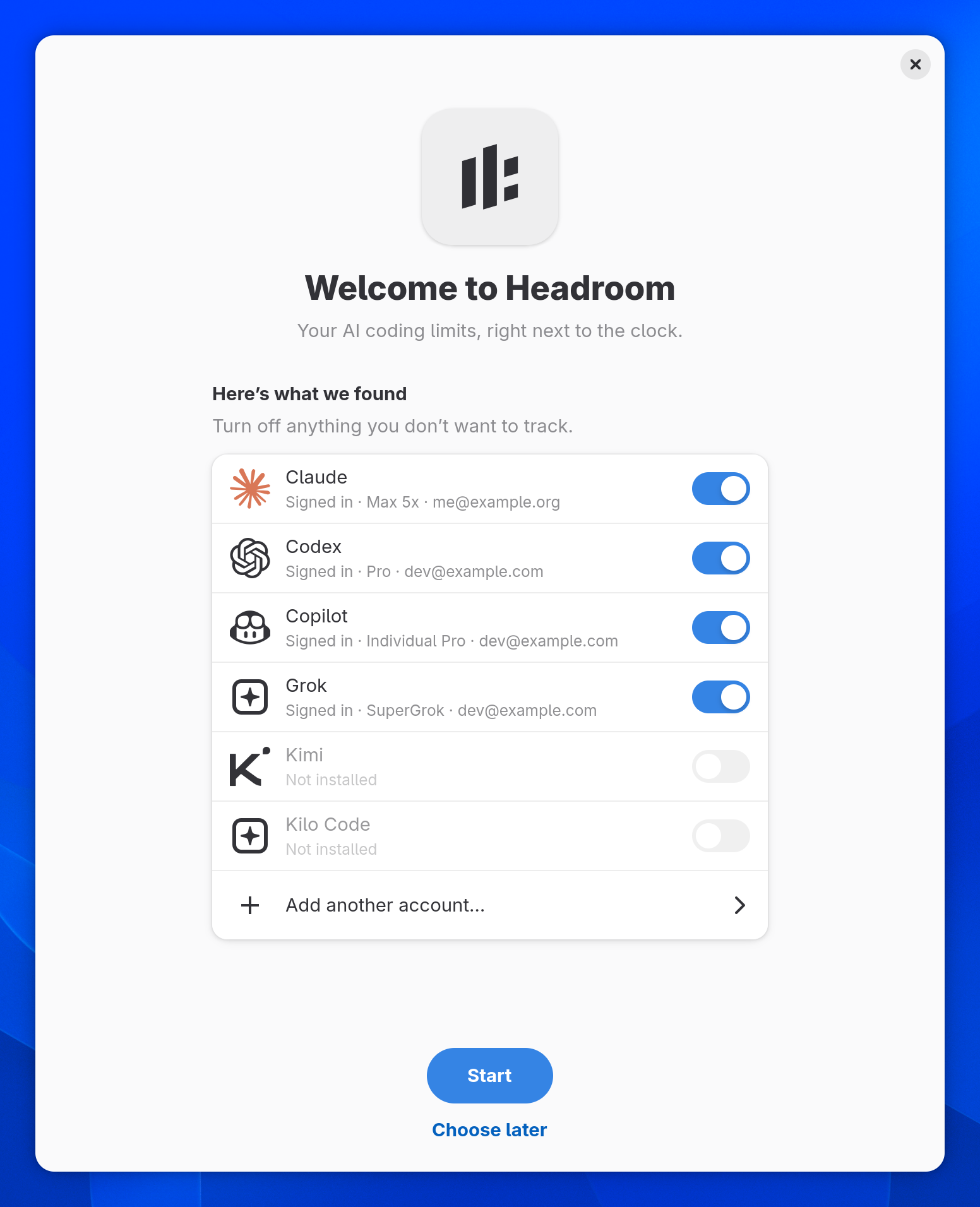
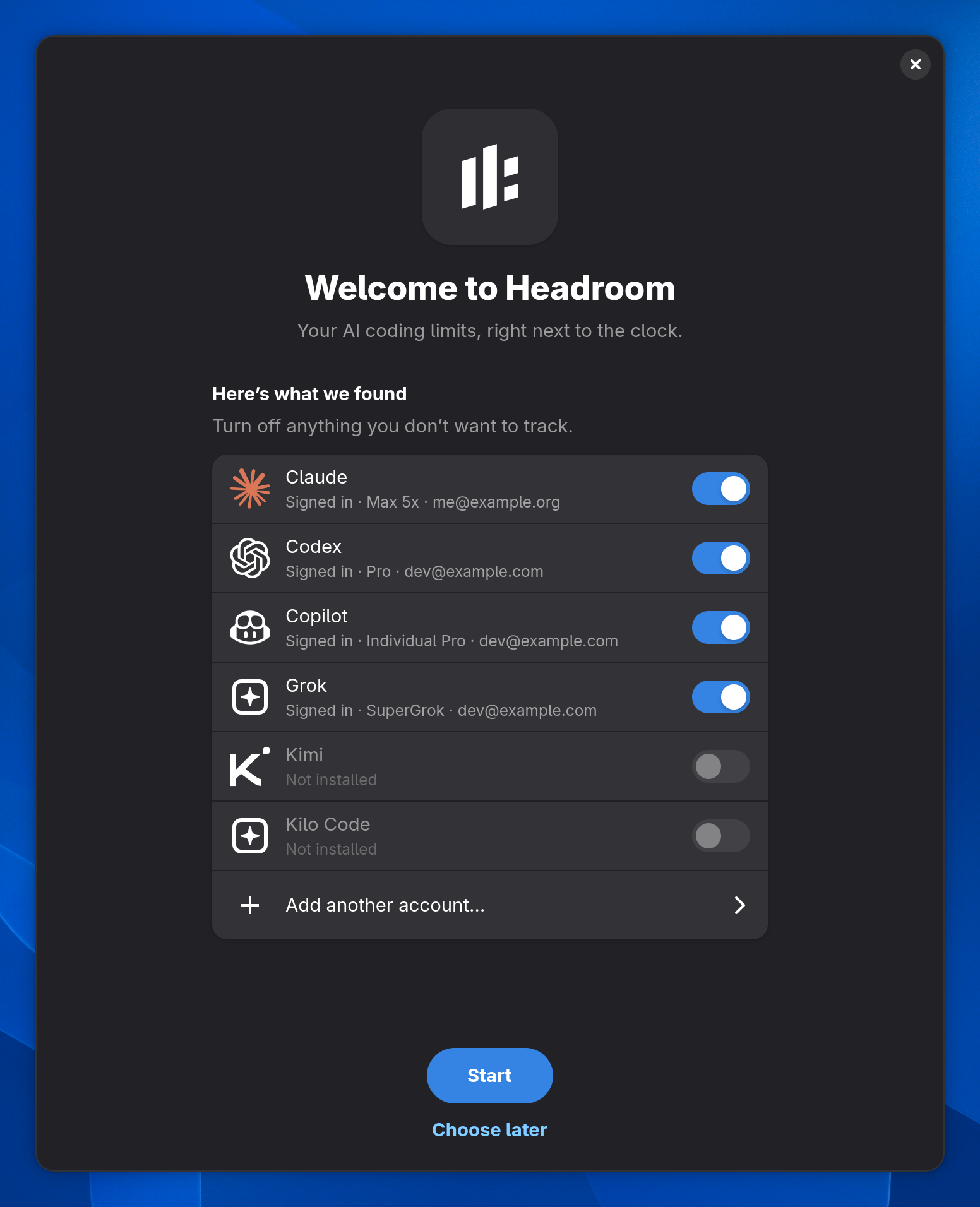
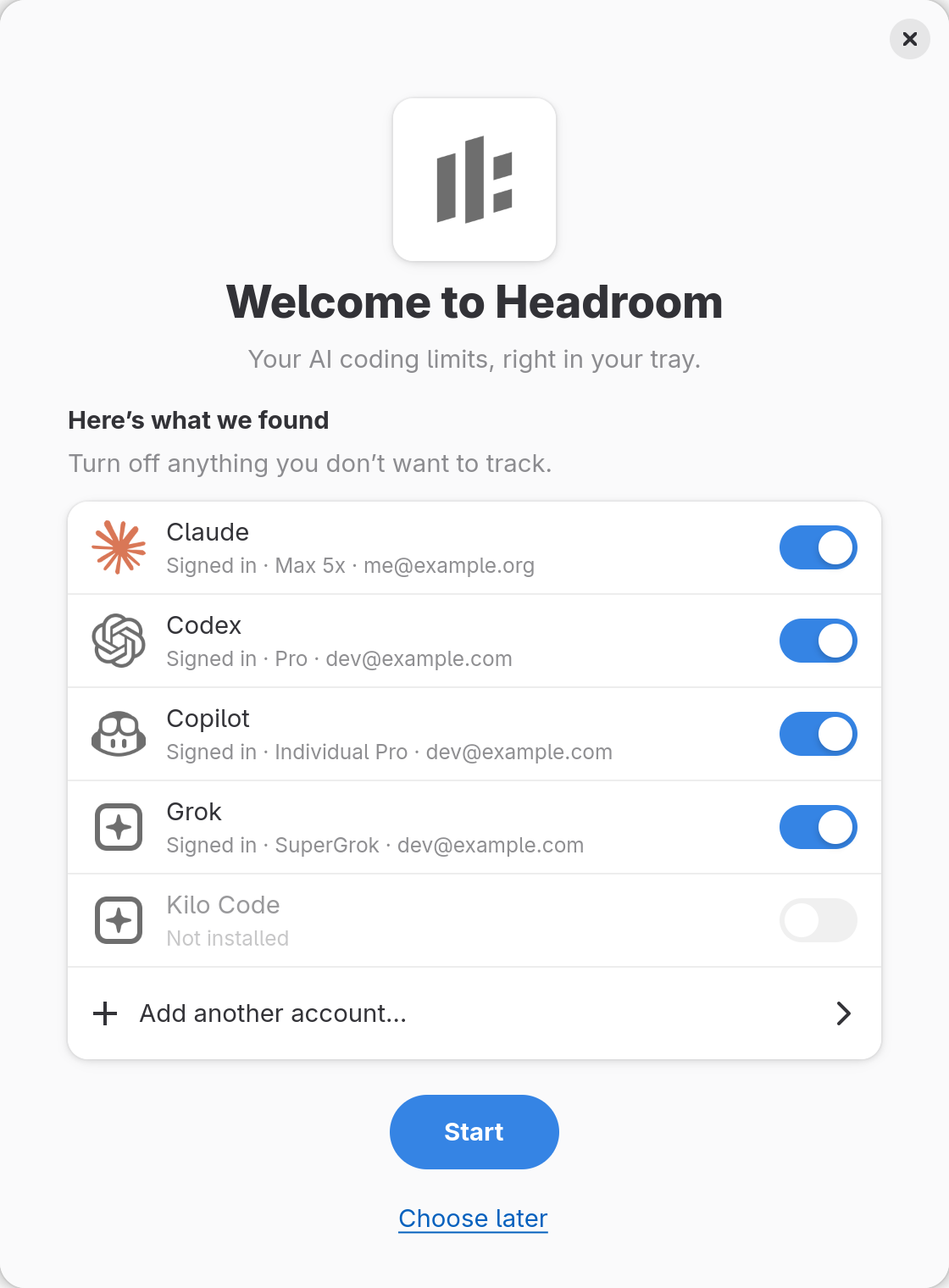
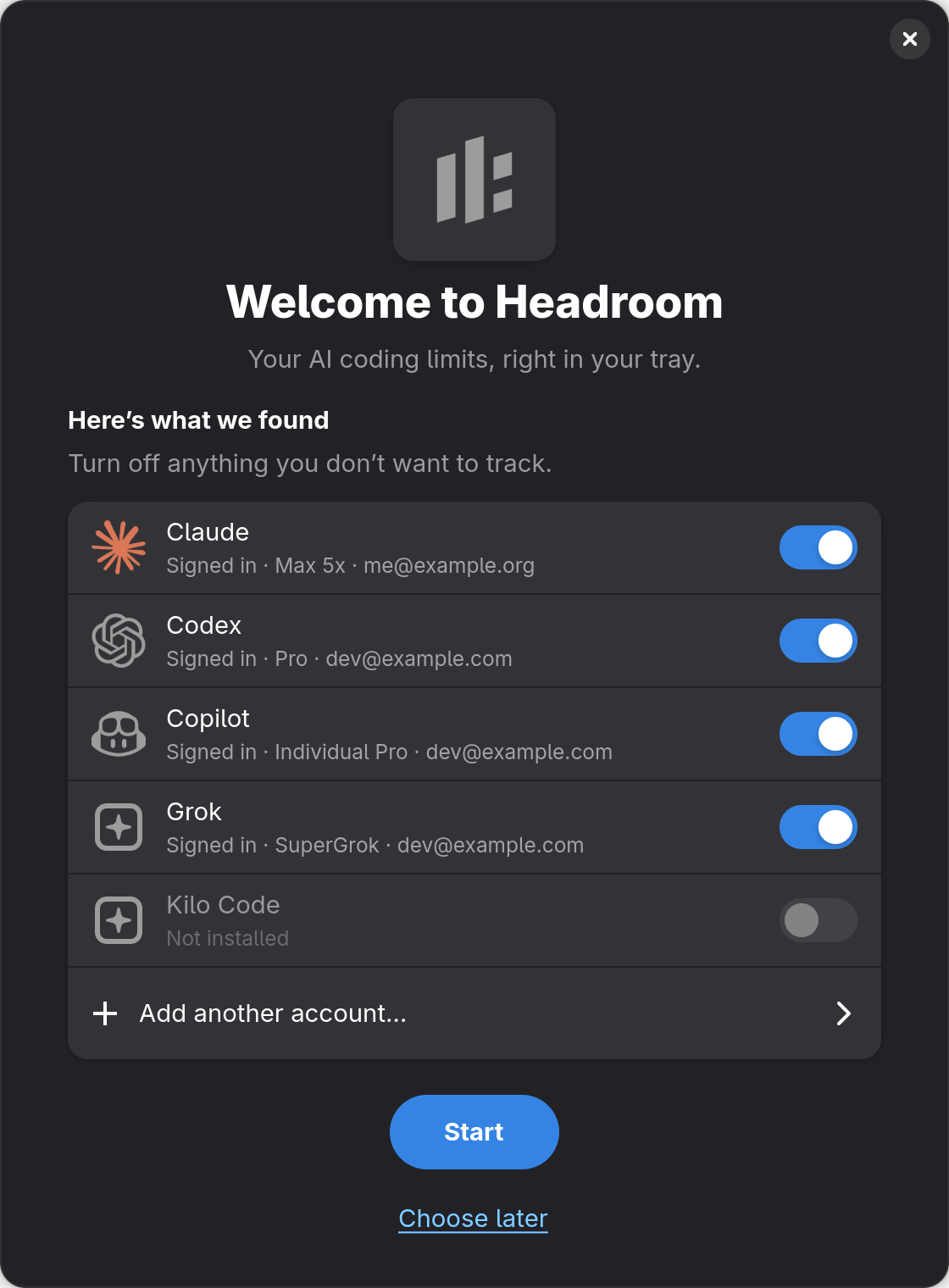
Headroom shows what it found: signed-in tools with a switch each, Sign In for tools that are installed but signed out, the rest dimmed. Start, or choose later.

  • The first-run window in GNOME listing detected providers with switches, Add another account, Start and Choose laterThe first-run window in GNOME listing detected providers with switches, Add another account, Start and Choose later
    Welcome to Headroom · Here's what we found
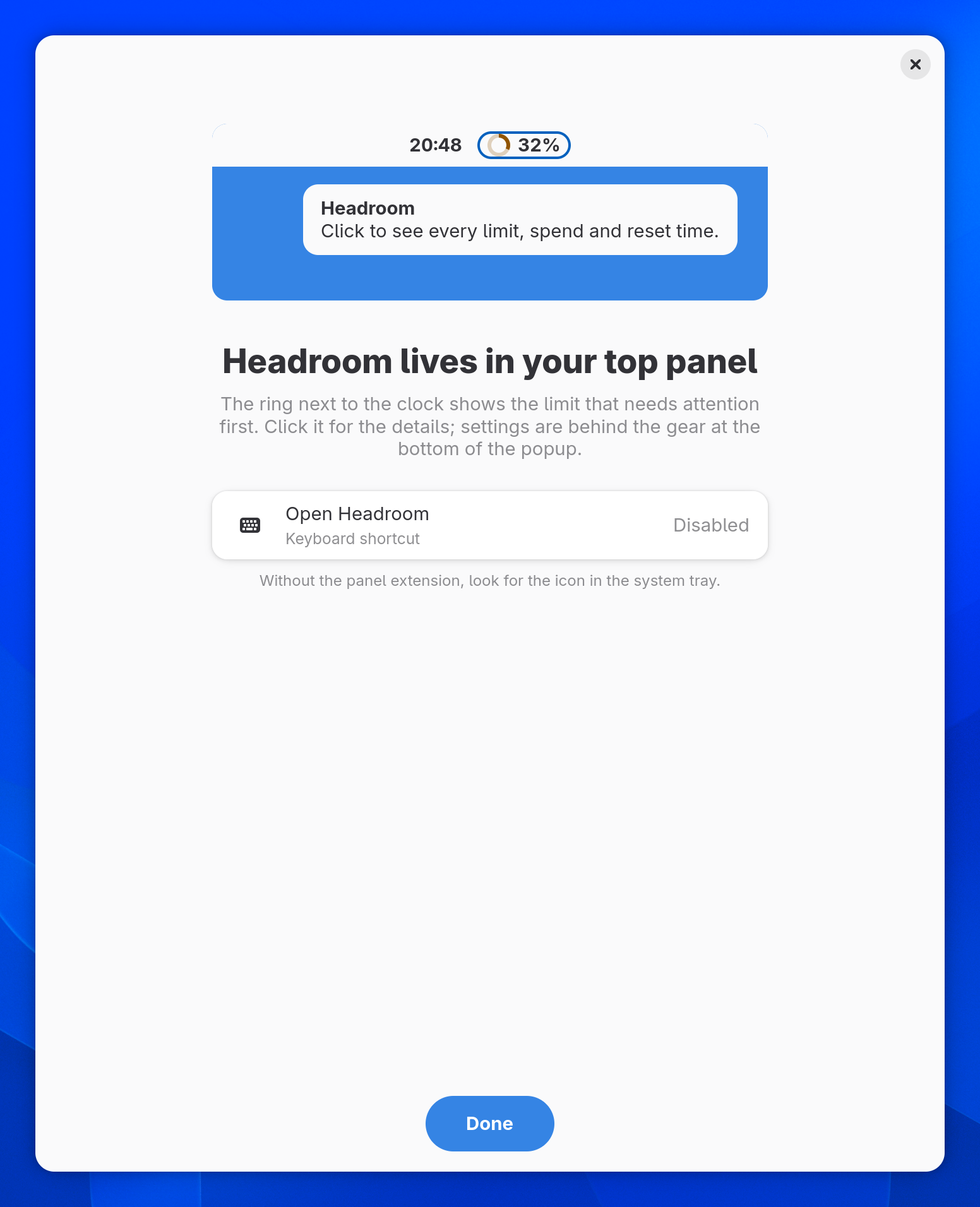
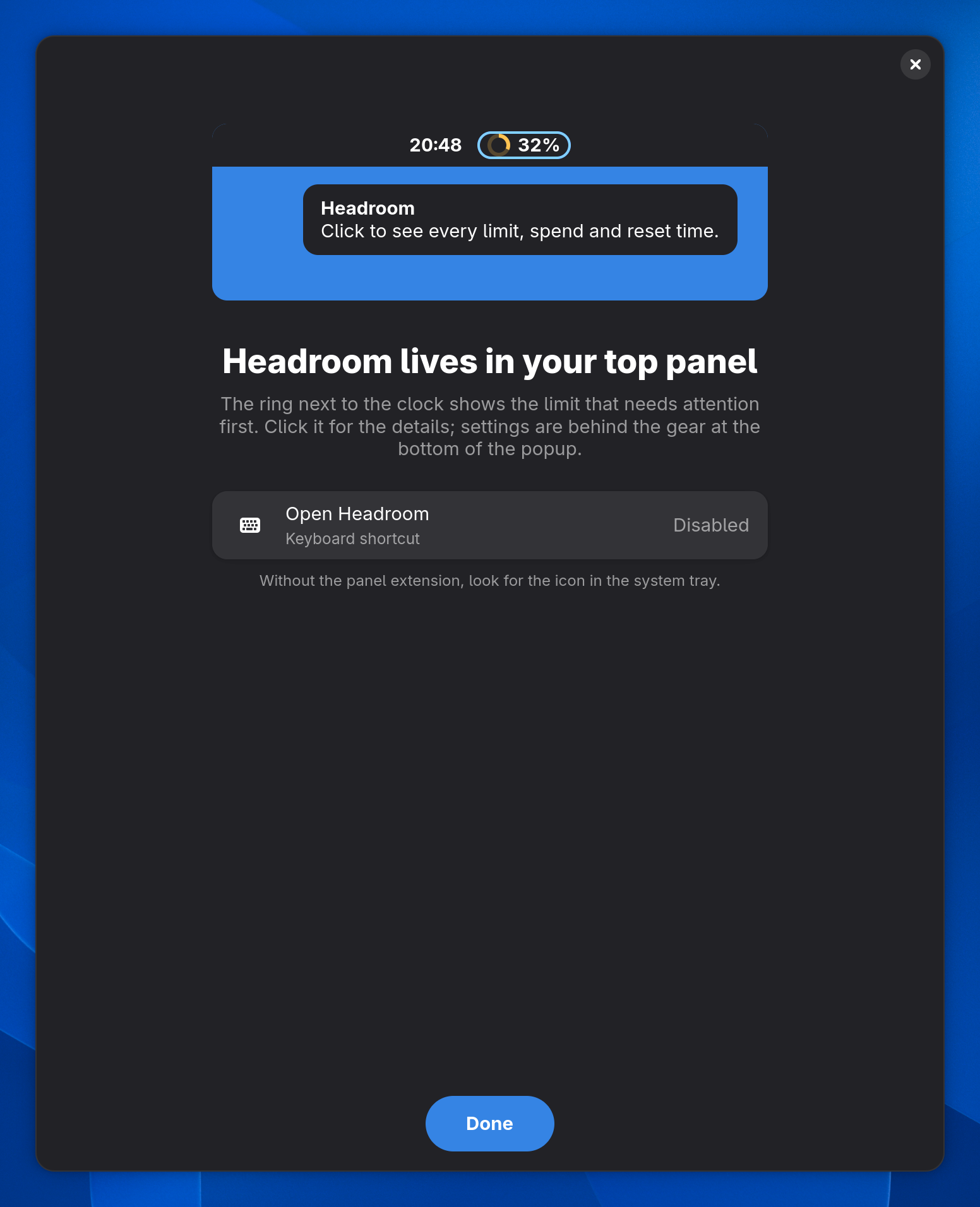
  • The last first-run step in GNOME: where the indicator sits in the top panel and the keyboard shortcutThe last first-run step in GNOME: where the indicator sits in the top panel and the keyboard shortcut
    Headroom lives in your top panel
  • The Headroom tray's first-run window with detected providers and StartThe Headroom tray's first-run window with detected providers and Start
    The same welcome in the tray

For scripts and agents.

headroom guard asks the running daemon whether your limits have room and answers with an exit code. Put it in front of an agent run or in a git hook.

Exit status

  1. 0Every checked limit has at least --min percent left.
  2. 1At least one is below: one ✗ line per window, with its reset.
  3. 2No fresh data for the checked limits, or the daemon is not running.

--window session|weekly, --provider, --account, --quiet and --json narrow it down.

headroom guard in a terminal: exit code 0 when every checked limit has enough left, 1 with one line per limit below the minimum, 2 when there is no fresh data

A pre-push hook

.git/hooks/pre-push
#!/bin/sh
if headroom guard --min 15 --provider claude --quiet; then
    claude -p "review the commits about to be pushed" --output-format text
else
    echo "headroom: Claude is below 15%, skipping the AI review" >&2
fi

Lets the agent review a push only while Claude has room left.

More for the terminal

  • headroom spend --by project --since 30d

    Spend by model, project, provider or day, from local logs.

  • headroom waybar --providers claude,codex

    Several providers in one Waybar module, warning and critical values in color.

  • headroom accounts login <id>

    Sign an account in again: one Headroom added in the same home, a CLI account in a terminal running the CLI's own login.

  • headroom diagnostics

    Versions, platform and account health for a bug report, without tokens, emails or ids.

Scripting in the README

Know what's left.

One command for every Linux desktop, one for macOS. Free and open source.

curl -fsSL https://github.com/daniarjabagin/headroom/releases/latest/download/get-headroom.sh | sh
brew install --cask daniarjabagin/tap/headroom

Questions, bugs and new providers: Discussions Issues Contributing