

Install Headroom
One command on Linux, one on macOS. The rest of this page is for when you need it.
Run the installer
curl -fsSL https://github.com/daniarjabagin/headroom/releases/latest/download/get-headroom.sh | shIt installs into ~/.local the static build for your CPU, the background service and the right piece for your desktop: the GNOME extension, the Plasma widget, or the Headroom tray on any other desktop. No root needed.
The release's SHA256SUMS is signed with an Ed25519 key built into the installer and into headroom update. The installer checks that signature with OpenSSL 1.1.1 or newer, then every download against the checksums; without such an OpenSSL it warns and relies on the checksums alone.
Skip parts you don't use by adding -s -- --no-gnome, --no-plasma or --no-service (binary only) after sh. --tray forces the tray, --no-tray skips it.
Put it in your panel
The installer sets up the service, and the tray where your desktop needs it. What is left depends on your desktop.
GNOME
On Wayland, log out and back in once so GNOME Shell sees the new extension. Then enable it:
gnome-extensions enable headroom@daniarjabagin.github.ioKDE Plasma
Open the widget explorer from the panel's context menu and add Headroom to a panel.
Other desktopsHeadroom tray
On Xfce, Cinnamon, MATE, Budgie, LXQt, COSMIC, Hyprland, Sway, niri, river, labwc, Wayfire and any other desktop with a system tray, the installer adds headroom-tray and starts it. The usage ring sits in the tray: left click opens the same popup as GNOME and Plasma, right click shows Open Headroom, Refresh now, Settings… and Quit.
- Desktops start it at every login from its autostart entry; it is also in the app menu.
- With
gtk4-layer-shellinstalled, the popup opens next to the bar on Sway, Hyprland, niri, river, labwc and Wayfire; without it, centered. On X11 it opens at the tray icon. - Waybar needs its
traymodule. swaybar opens the popup on click but has no right-click menu.
Tiling window managers start it from their config:
exec headroom-trayexec-once = headroom-trayBind this to a key to open the popup without a tray:
headroom-tray --toggleOr set a global shortcut in the tray's Settings → General. It goes through the GlobalShortcuts portal on Wayland, where the compositor offers it, and a key grab on X11.
i3bar, polybar, tint2 and other X11 trays that only speak XEmbed show it through snixembed. Start it before headroom-tray:
snixembed --forkWaybar
headroom waybar streams one JSON line per change with a good, warning, critical or neutral class. Add the module to your config and to one of the modules-* lists:
"custom/headroom": {
    "exec": "headroom waybar",
    "return-type": "json",
    "format": "{text}",
    "tooltip": true
}
Several providers fit in one module: --providers shows one value per provider, --window session|weekly|any picks the window and --labels none drops the names.
headroom waybar --providers claude,codexOptional colors for the classes:
#custom-headroom.warning  { color: #ffd60a; }
#custom-headroom.critical { color: #ff453a; }
#custom-headroom.neutral  { opacity: 0.6; }
Other ways to install
Packages: .deb, .rpm, Arch Linux
Every release has packages for x86_64 and aarch64. They install /usr/bin/headroom, the user service, the GNOME extension and the Plasma widget system-wide.
- .debDebian, Ubuntux86_646.3 MBaarch646.0 MB
- .rpmFedora, openSUSEx86_646.3 MBaarch645.9 MB
- .pkg.tar.zstArch Linuxx86_646.1 MBaarch645.8 MB
- Debian, Ubuntu
sudo apt install ./headroom_*_amd64.deb- Fedora
sudo dnf install ./headroom-*.x86_64.rpm- openSUSE
sudo zypper install ./headroom-*.x86_64.rpm- Arch Linux
sudo pacman -U ./headroom-*-x86_64.pkg.tar.zst
Then, as your user, start the service and enable the extension on GNOME:
systemctl --user enable --now headroom.service
gnome-extensions enable headroom@daniarjabagin.github.io
Check a download against SHA256SUMS, or its build attestation with the GitHub CLI:
sha256sum -c SHA256SUMS --ignore-missinggh attestation verify <file> --repo daniarjabagin/headroomSHA256SUMS itself is signed with the Headroom release key. Save the key next to it and check the signature:
openssl base64 -d -A -in SHA256SUMS.sig -out SHA256SUMS.sig.raw
openssl pkeyutl -verify -rawin -pubin -inkey release-signing-key.pub.pem -in SHA256SUMS -sigfile SHA256SUMS.sig.raw
Headroom tray packages
For desktops other than GNOME and Plasma add the headroom-tray package from the same release. It needs the headroom package, GTK 4.14 and libadwaita 1.5 or newer. The .rpm and the Arch package use gtk4-layer-shell to place the popup next to the bar.
- .debUbuntu 24.04, Mint 22, Debian 13 and newerx86_642.3 MBaarch642.2 MB
- .rpmFedora 41 and newerx86_642.2 MBaarch642.2 MB
- .pkg.tar.zstArch Linuxx86_642.2 MBaarch642.1 MB
- Debian, Ubuntu
sudo apt install ./headroom-tray_*_amd64.deb- Fedora
sudo dnf install ./headroom-tray-*.x86_64.rpm- Arch Linux
sudo pacman -U ./headroom-tray-*-x86_64.pkg.tar.zst
It installs /usr/bin/headroom-tray, a menu entry and /etc/xdg/autostart/headroom-tray.desktop, which starts the tray at login everywhere except GNOME Shell and Plasma.
Static binary tarball
The same tarball the installer uses. Unpack it and run ./install.sh inside; it takes the same --no-gnome, --no-plasma and --no-service flags.
- .tar.gzAny distributionx86_646.2 MBaarch645.7 MB
Build from source
Needs Rust 1.98, plus gnome-extensions, glib-compile-schemas and python3 for the GNOME extension. From a clone of the repository:
git clone https://github.com/daniarjabagin/headroom.git
cd headroom
packaging/install.sh
Add --tray to also build and install the Headroom tray.
The Plasma widget installs separately:
make -C shell/plasma installInstall with Homebrew
brew install --cask daniarjabagin/tap/headroomThe cask installs the universal app and clears the quarantine flag, so Headroom opens on the first try, without Gatekeeper steps.
Download the DMG instead
Download the universal DMG, open it and drag Headroom to Applications.
The app is not notarized yet, so macOS blocks the first launch:
- Open Headroom once and click Done in the warning.
- Go to System Settings → Privacy & Security and click Open Anyway, then confirm with your password or Touch ID.
Or remove the quarantine flag in Terminal and open the app normally:
xattr -dr com.apple.quarantine /Applications/Headroom.appBuild it yourself
Building the app needs Xcode with Swift 6. The macOS guide covers the build, files, logs and troubleshooting.
macOS guideSize and footprint
The daemon uses ≈15 MB of memory at idle, with short peaks while it re-reads logs or price lists. The tray uses ~0.5 % of one core with its popup open, animated limit bars included, and ≈0 % with it hidden. The GNOME popup does nothing while it is closed.
Release 0.6.1: headroom 12.2 MB (deb 6.0 MB, x86_64) · tray 4.6 MB (deb 2.2 MB) · macOS DMG 15.6 MB · GNOME extension 248 KB · Plasma widget 176 KB
First run
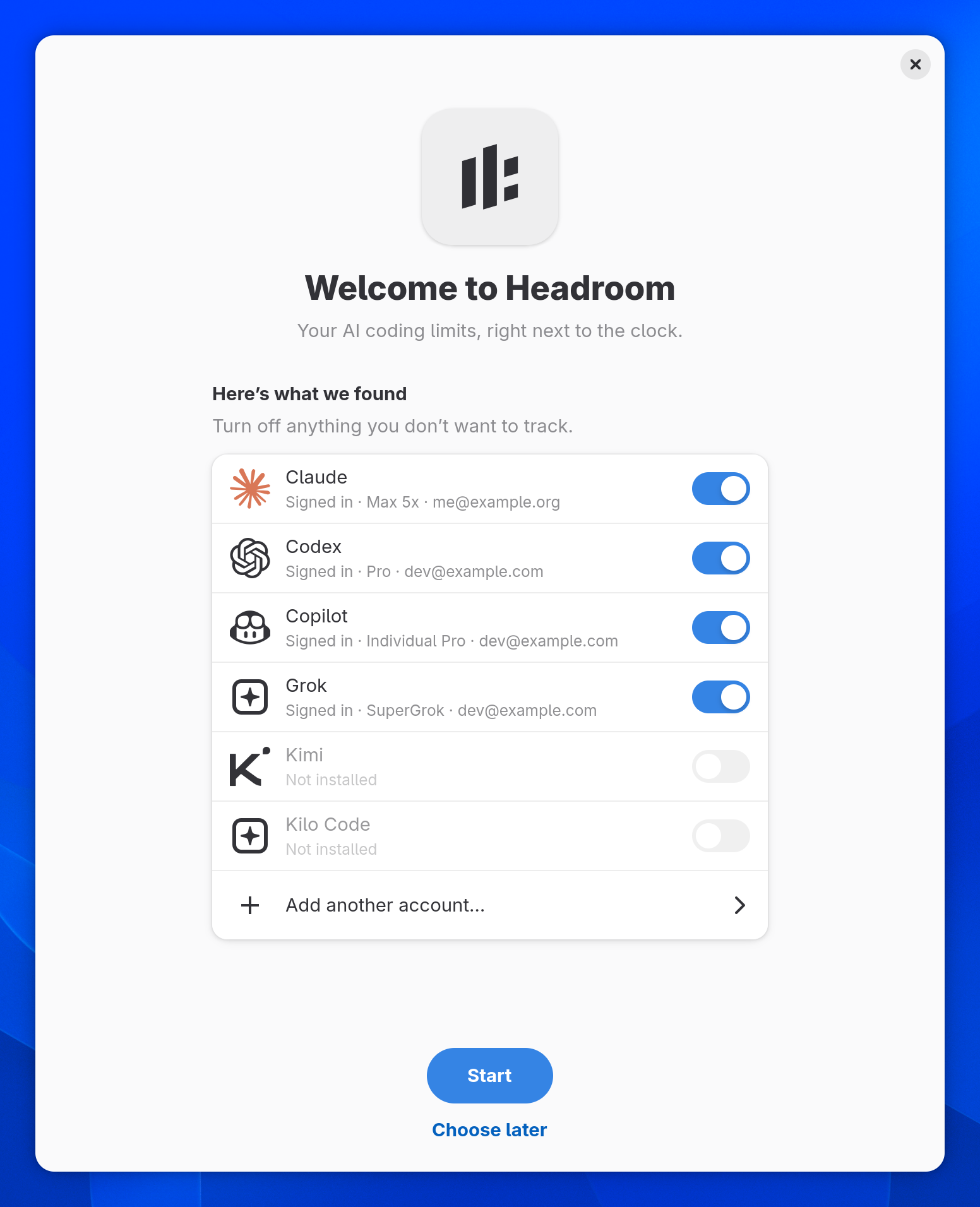
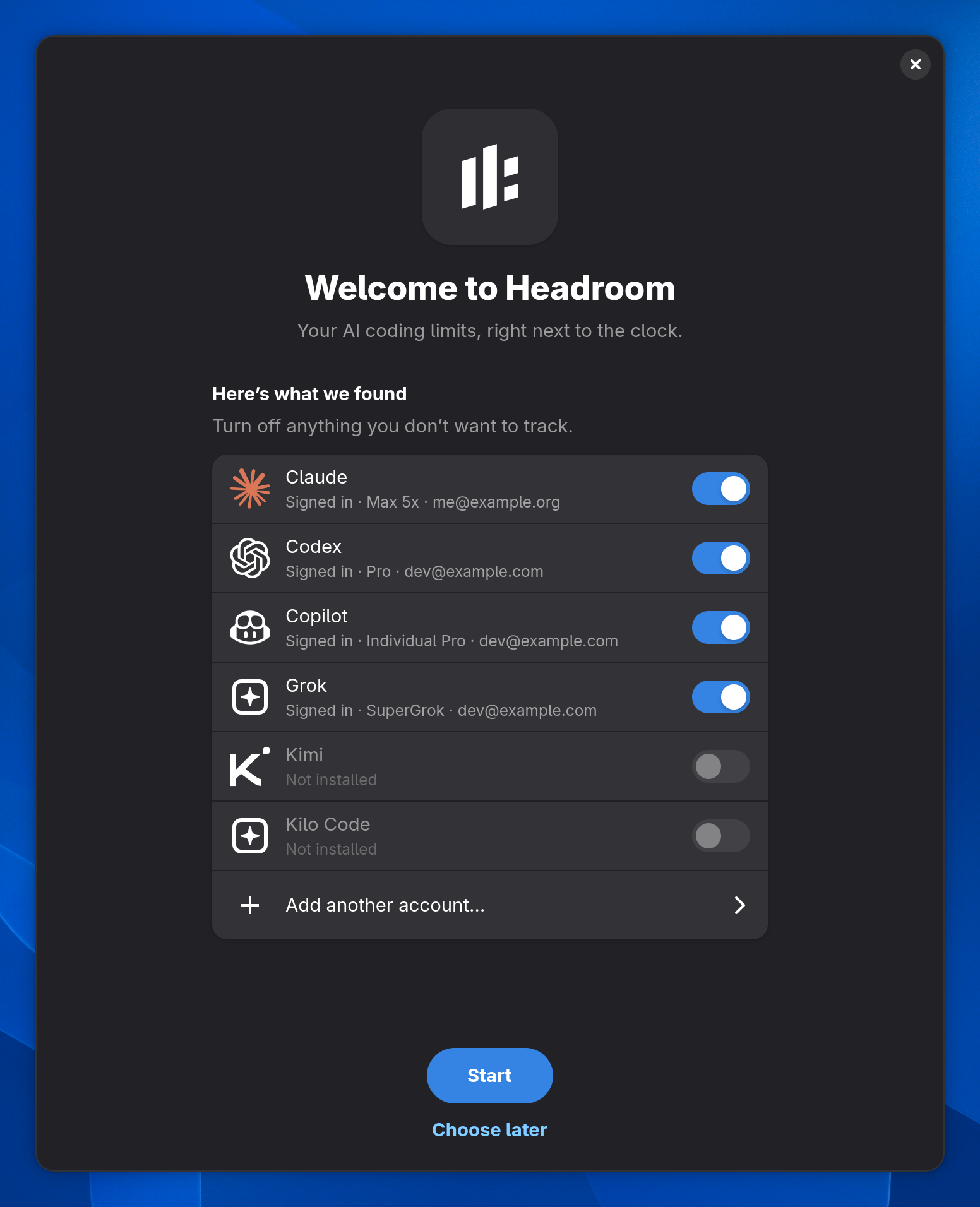
The first time Headroom starts, it shows what it found: the coding tools you are signed in to, each with a switch, Sign In for tools that are installed but signed out, and where Headroom lives.
- GNOME and the Headroom tray: a Welcome to Headroom window.
- KDE Plasma: a banner in the popup.
- macOS: the first step of the welcome window.
Upgrading from an earlier release skips it.
Sign in once
Signed in to codex or claude already? Headroom finds those accounts by itself. For other providers, open Settings → Accounts → Add account… from the popup, or add one from a terminal:
headroom accounts add openrouterheadroom providers lists every provider and how its account is added.
When a CLI's sign-in expires, Sign in on its card opens a terminal with that CLI's own login, run through your login shell so the CLI is found on your usual PATH (Terminal on macOS). Headroom picks up the new sign-in by itself. An account Headroom added offers Sign in again… instead.
From a terminal, headroom accounts login <id> signs in either kind of account again, with an id from headroom accounts.
Settings → Accounts is a list with a details pane, as on macOS: select an account to show or hide it, star it, rename it, hide single limits, move it, sign in again or remove it.
On macOS the command-line tool is inside the app: /Applications/Headroom.app/Contents/Helpers/headroom.
Check that it works
headroom status prints every limit and your spend. Without a running service it shows the last cached data.
headroom statusFiling a bug? headroom diagnostics prints versions, platform, log settings and account health, without tokens, emails or account ids.
Updates
Once a day Headroom asks GitHub whether a new release is out. Nothing else is sent, and the check can be turned off in the settings.
Linux
- When a release is out, the popup shows Headroom X is available.
- The settings show when the last check ran, and Check now asks at once: in the GNOME and Plasma preferences and on the tray's About page.
- Installed with the one-line installer: press Update or run
headroom update. It checks the Ed25519 signature ofSHA256SUMSagainst the key built into Headroom, verifies the download and reinstalls with the options you chose the first time, the Headroom tray included. - Installed from a package: How to update shows what to do. Download the new packages from the release page,
headroom-traytoo if you use it, and install them the same way. - Built from source: pull and run
packaging/install.shagain. headroom update --checkcompares your version with the latest release without installing anything.
macOS
- The app updates itself with Sparkle and verifies every update with an EdDSA signature.
- Right-click the menu-bar item → Check for Updates… to check at once.
- Installed with Homebrew,
brew upgrade --cask --greedy headroomworks too.
Uninstall
Uninstalling keeps your cached usage and added accounts unless you remove them too.
Linux
Installed with the one-line installer: run uninstall.sh from the release tarball. It stops the service and the tray and removes the binary, the tray, the extension and the widget.
curl -fsSL https://github.com/daniarjabagin/headroom/releases/download/v0.6.1/headroom-0.6.1-$(uname -m)-linux-musl.tar.gz | tar -xz
bash headroom-0.6.1-$(uname -m)-linux-musl/uninstall.sh
Installed from packages: remove headroom-tray first if you added it.
- Debian, Ubuntu
sudo apt remove headroom-tray- Fedora
sudo dnf remove headroom-tray- Arch Linux
sudo pacman -R headroom-tray
Then stop the service and remove the package:
systemctl --user disable --now headroom.service- Debian, Ubuntu
sudo apt remove headroom- Fedora
sudo dnf remove headroom- openSUSE
sudo zypper remove headroom- Arch Linux
sudo pacman -R headroom
Remove the data as well:
rm -rf ~/.local/state/headroom ~/.cache/headroom ~/.local/share/headroommacOS
brew uninstall --cask --zap headroomInstalled with Homebrew: --zap also removes settings, logs and caches. API keys stay in the Keychain until you delete them in Keychain Access.
Installed from the DMG: quit Headroom from its menu and move it from Applications to the Trash.
Questions and answers.
Short answers to what people ask first.
Is Headroom free?
Yes. The source code is open under the MIT license; only the Headroom name and logo are not part of it. If it helps you, a star on GitHub helps other people find it.
Which desktops and systems does it run on?
GNOME Shell 46–50 and KDE Plasma 6.2+ get their own shells. Xfce, Cinnamon, MATE, Budgie, LXQt, Hyprland, Sway, niri, COSMIC and every other desktop with a system tray get the Headroom tray, and Waybar has a module. x86_64 or aarch64, Wayland or X11. On the Mac, macOS 14 Sonoma or newer, Apple silicon or Intel.
Does it send my data anywhere?
No. It talks only to the providers you use, fetches public price lists and asks GitHub once a day whether a new release exists. Provider status pages are read only if you turn them on. There is no telemetry and no server of its own.
What happens the first time I start it?
A welcome window shows Here's what we found: the coding tools you are signed in to, each with a switch, and Sign In for tools that are installed but signed out. Press Start, or Choose later and pick in the settings.
Why does a card say Paused?
Session limits are forecast from your pace over the latest stretch of active work. When Claude Code or Codex stops, the card says Paused · lasts ≈3h of work: how long the rest lasts at that pace, instead of a countdown to a run-out that will not happen. Weekly and longer limits keep the average over the window.
How do I start it on macOS?
After Homebrew, run open -a Headroom; the cask clears the quarantine flag. A welcome window shows where Headroom lives in the menu bar and offers Open at login. The app is not notarized yet, so from the DMG open it once, then click Open Anyway in System Settings → Privacy & Security.
How do updates work?
On Linux the popup shows Headroom X is available. One-line installs update in place with Update or headroom update, the tray included; for packages, How to update shows what to do. The settings have Check now for an answer right away. On macOS Sparkle updates the app by itself, or right-click the menu-bar item → Check for Updates….
Will my numbers show when I share my screen?
Not in GNOME: with Hide numbers while screen sharing on, the default, the panel shows only the mark and the popup shows •• until the share ends. On macOS the popup and menu-bar items are left out of screenshots, recordings and screen sharing. Plasma and the tray cannot detect a share, so they don't offer the option.
What are provider status pages?
An opt-in check of the public status pages of Claude, Codex, Copilot, Cursor, Devin, Kimi Code, Moonshot API, MiniMax, Kilo Code, Warp and Poe. When one of your providers has an incident or an outage, the card says so, with a link to the page. It is off by default.
Can a script check my limits before an agent run?
Yes. headroom guard --min 20 --window weekly exits 0 when every checked weekly limit has at least 20 % left, 1 when one is below and 2 when there is no fresh data, so headroom guard --min 15 && claude -p … runs the agent only when there is room.
How do I add another account or provider?
Open Settings → Accounts → Add account… from the popup, pick one of the 19 providers and sign in or paste a key. From a terminal, run headroom accounts add codex or the provider you need.
Can two accounts of one provider show as one?
Yes. Turn on Combine accounts of the same provider in the settings; it is off by default. The card gets a bar with a segment per account, the earliest reset and one pace forecast, in GNOME, Plasma, the tray and macOS.
What happens if a provider breaks?
That account shows an error in the popup and every other provider keeps working. When a provider only limits requests, the card keeps its last numbers with a quiet next try line and retries back off from 5 up to 60 minutes. When a CLI sign-in expired, Sign in opens a terminal with the CLI's own login, and Headroom picks up the new sign-in by itself.